101
M2 Scope/Meter M2 Scope/Meter Operations
8.3.7 Oscilloscope
The M2 Scope/Meter has the ability to provide a two-channel oscilloscope, or waveform viewer.
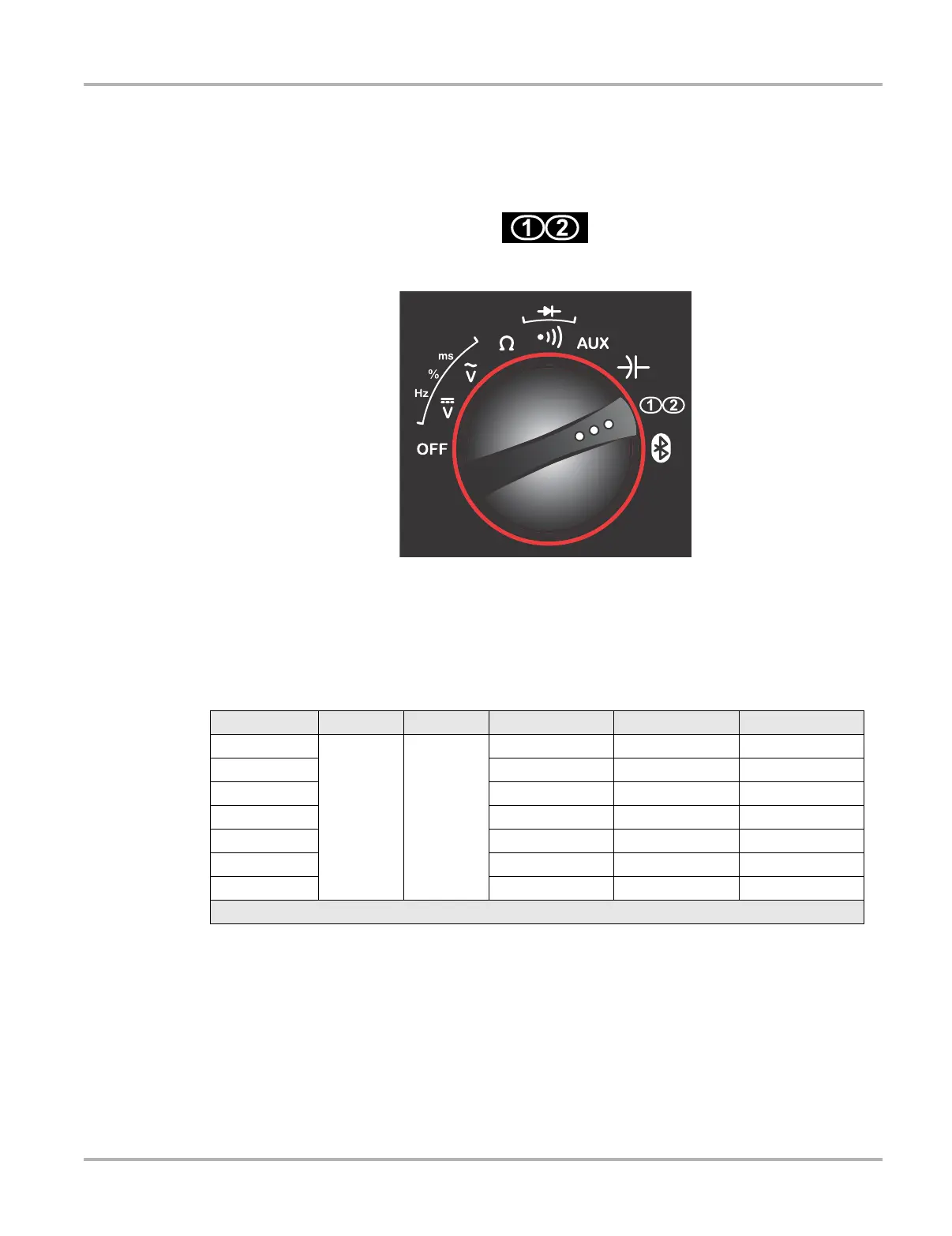
The viewer becomes active when the rotary switch is turned to the “scope” position.
Figure 8-12 Sample oscilloscope rotary switch icon
Figure 8-13 Sample scope setting
Soft key functions are unique when performing oscilloscope tests. In this mode there are seven
available setting ranges for the F2, F3, and F4 keys. Pressing the F1 key scrolls up through the list
of settings, and pressing the S key scrolls down through the list. The F1 area on the screen shows
which of the six settings is currently active (Figure 8-14). Available scope functions are shown in
the table below:
Setting F1 Key S Key F2 Key F3 Key F4 Key
Display
Scroll up Scroll down
Freeze Scale Time
Trigger Slope Level Channel
Preset A GCI&S† LF AC† HF AC†
Preset B PCI&S† LF DS† HF DS†
Special Peak Invert Coupling
Position Move Ch1 Trace Move Ch2 Trace Not Used
Channel Display Ch1 Display Ch2 Check scales
† See page 104 for acronym definitions


 To Next Page