Page 27
3-in-1 3D Printer Quick Start Guide
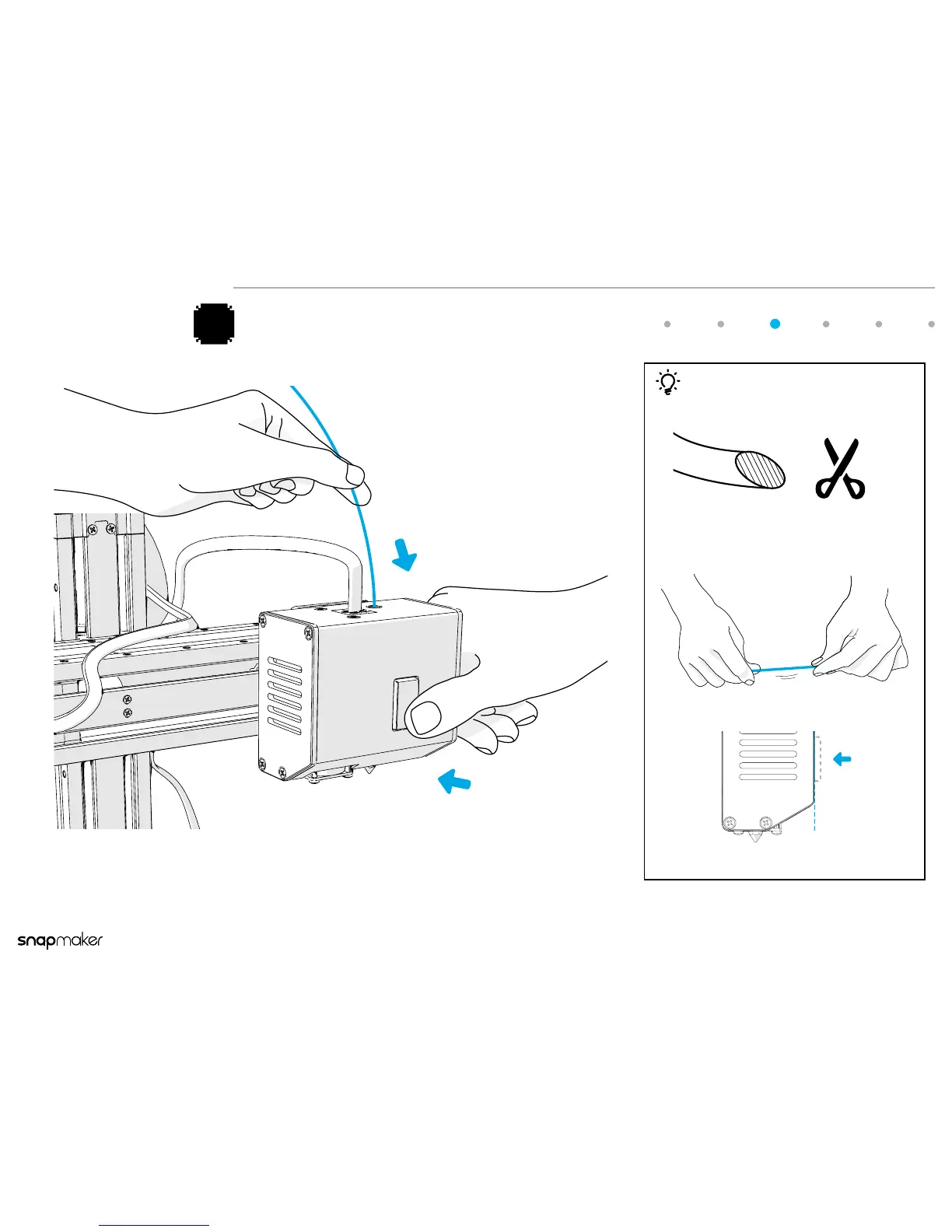
Press the button on the front of the 3D Printing Module and at the same
time insert the lament into the hole on the top.
Try to straighten the lament as much as you can.
Press down the button to the illustrated level.
Tips
Use a pair of scissors or diagonal cutter to cut the
end of the lament at a 45° angle.
1
2
3
Insert the Filament



 To Next Page