Quick Start Guide
|
55
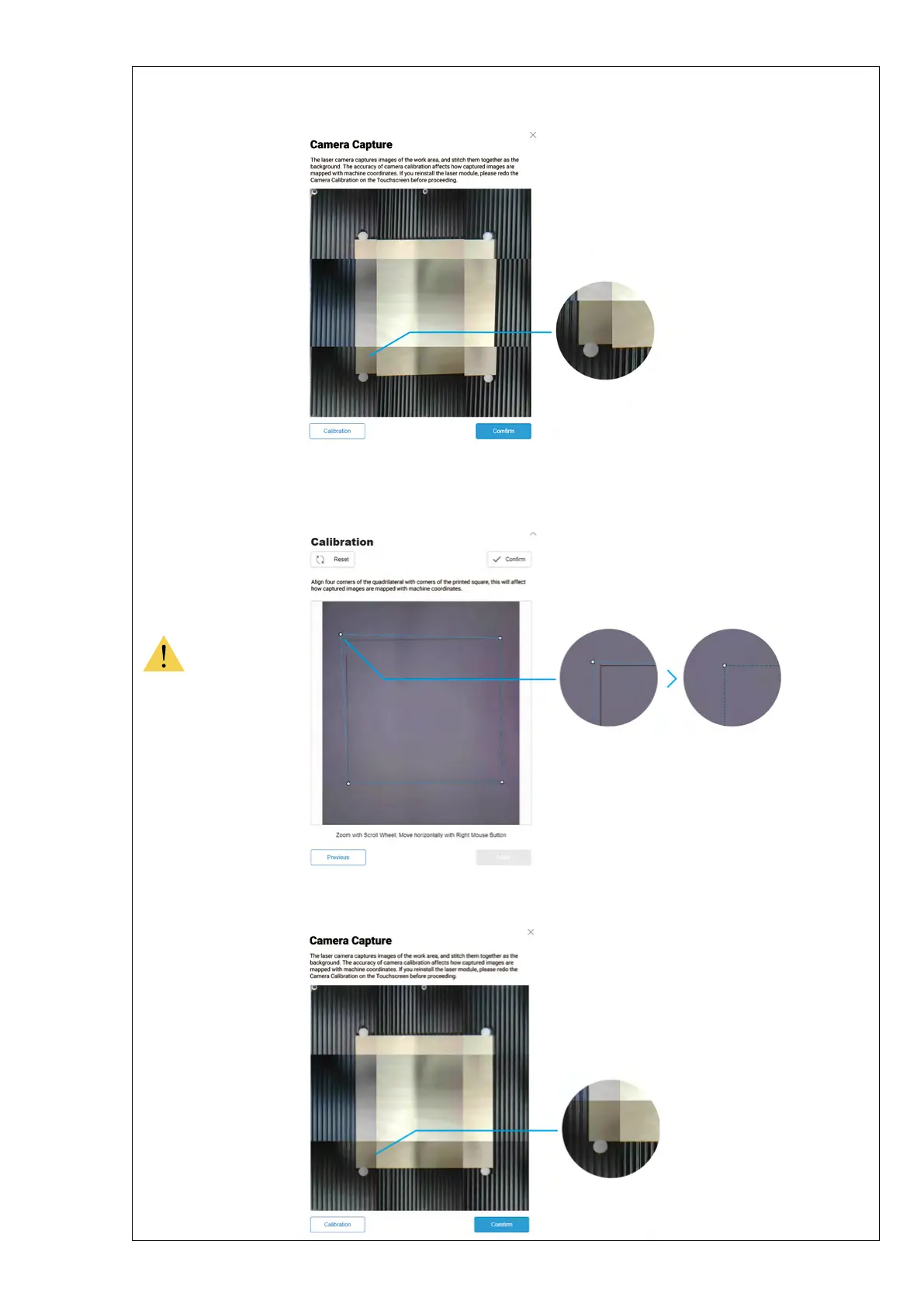
If the edges of the captured image are not aligned, click Calibration to manually calibrate the
camera.
Zoom into the image and move the lines until they perfectly match the square, click Confirm ->
Apply to see the finished image.
Click Confirm and the finished image will be loaded into the quadrant in the coordinate system.
You can repeat the steps above if the edges of the captured image are still not aligned.



 To Next Page