Quick Start Guide
|
51
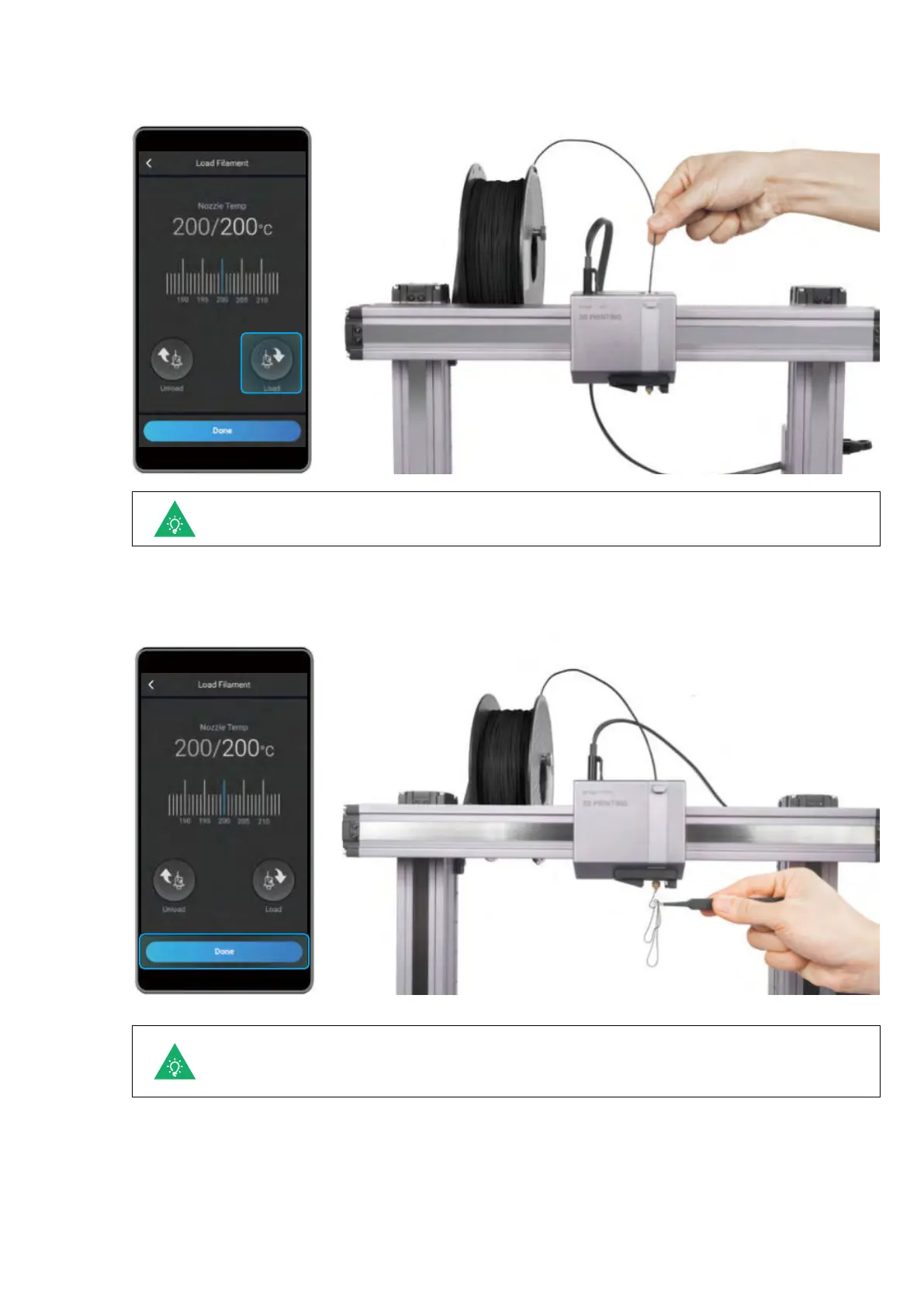
2. Tap Start on the Load Filament screen. After the temperature reaches the target temperature, tap Load and
then gently push the filament into the 3D printing module until you can feel the motor pulling the filament in.
3. Clean the nozzle using the tweezers, and tap Done.
You can change the target Nozzle Temp by sliding the scale bar.
If no filament is coming out of the nozzle, do not tap Done until you repeat the steps above
and the filament extrudes successfully.


 To Next Page
 Loading...










