50
|
3D Printing
3.2.2 Load Filament
Guides & Pictures / Snapmaker
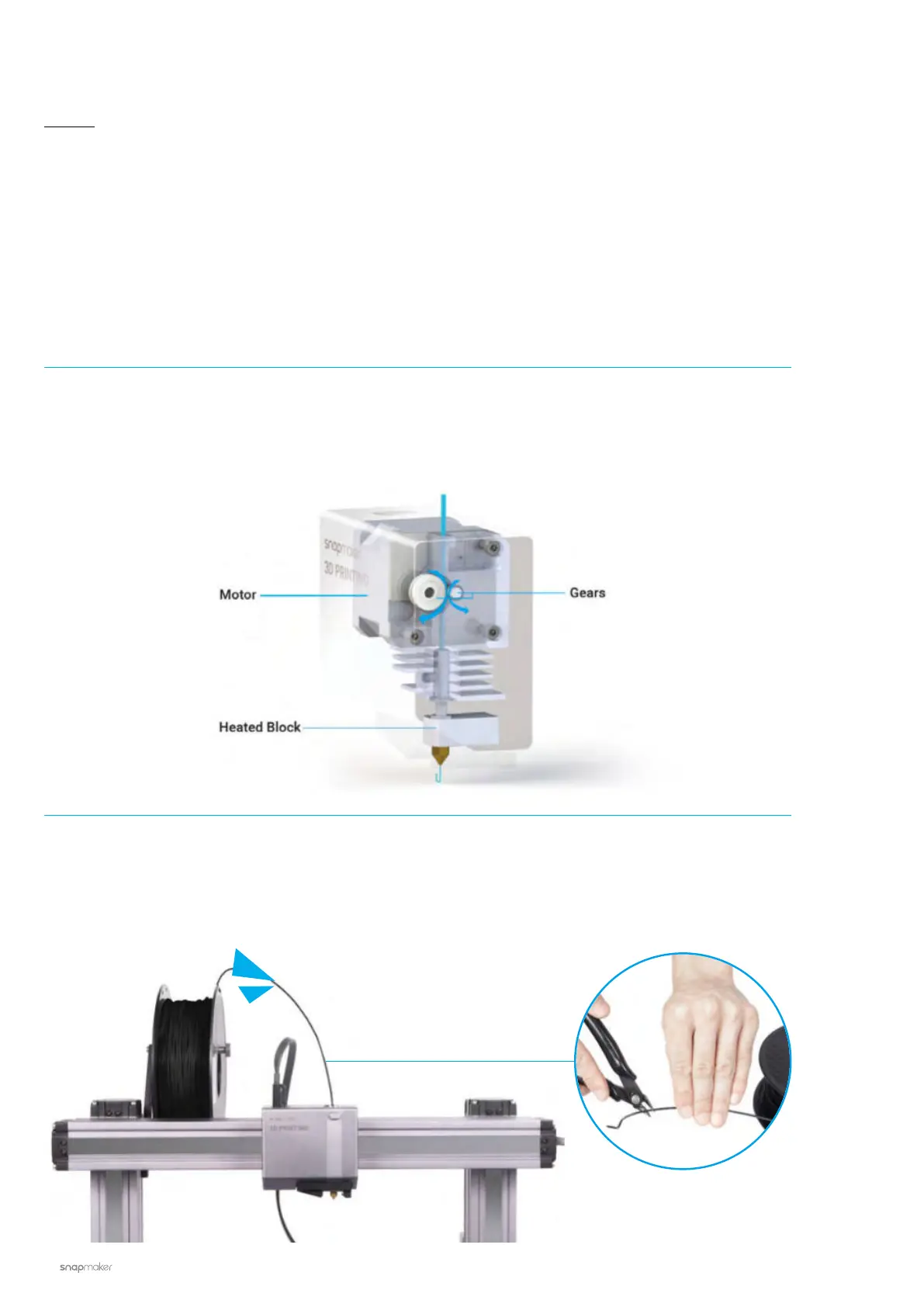
How It Works: Filament Loading
The motor drives the filament into the extruder, where the filament extrudes through the nozzle after being
heated by the heated block.
How to Load Filament
1. Hang the provided PLA filament over the Filament Holder. Cut the bending end of the filament using the
diagonal pliers, and then insert the filament into the 3D Printing Module.


 To Next Page
 Loading...










