3D Printing
40 41
Do NOT touch the nozzle with bare hands during the filament
loading process, as the nozzle will be heated to an extremely high
temperature.
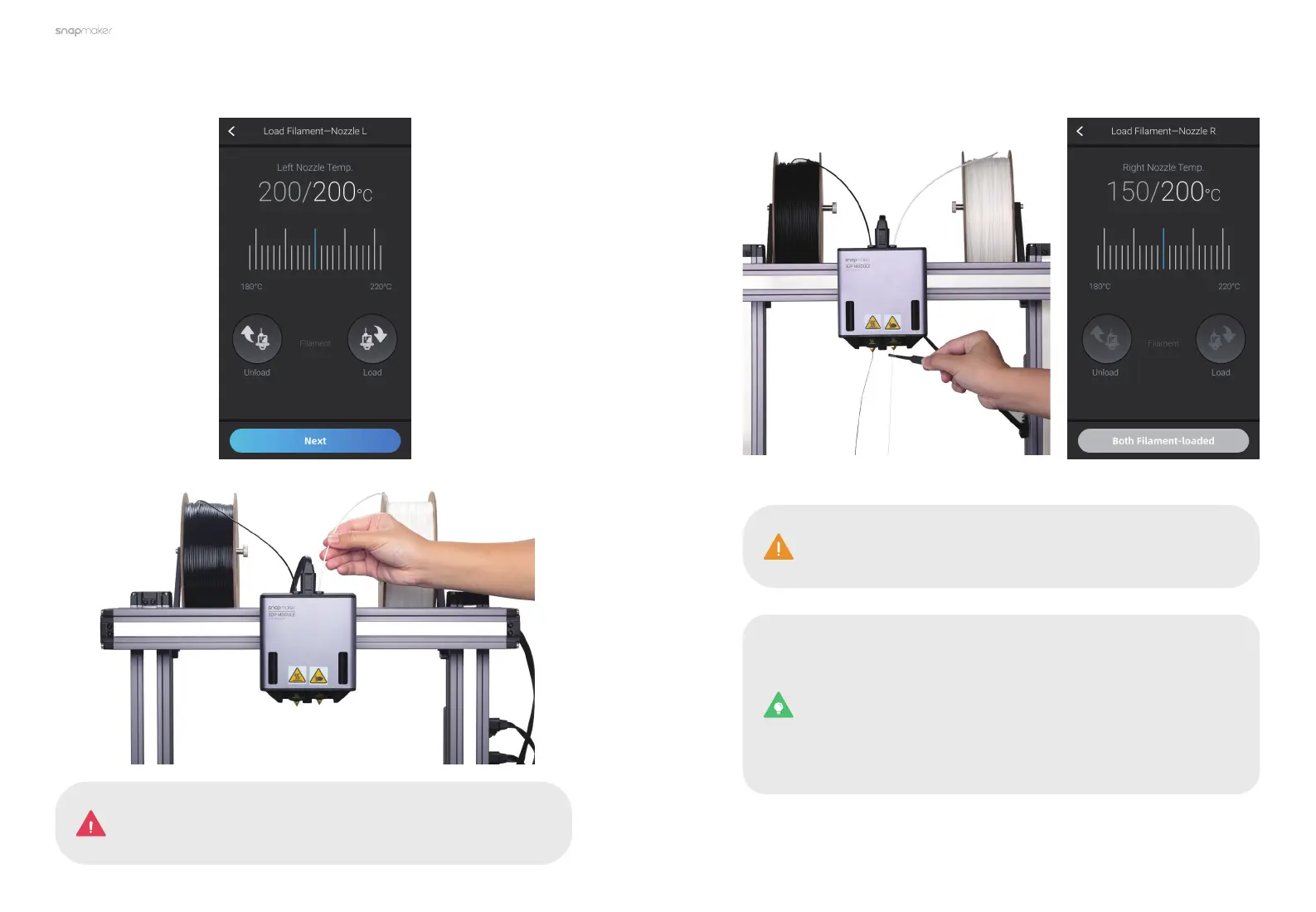
4. Tap Next and repeat Step 3 to load the white Breakaway PLA filament into
the right nozzle.
5. Clean the nozzles using the tweezers, and tap Both Filament-loaded.
If no filaments are coming out of the nozzles, do not tap Both
Filament-loaded until you repeat the steps above and the
filaments extrude successfully.
To change the filament, take the following steps:
1. Tap Control > Nozzle on the Home Screen.
2. Select the target nozzle, set the temperature, and tap Heat.
3. When the heating completes, tap Unload and pull the filament
out of the nozzle.
4. Insert the new filament into the module, and tap Load until the
new filament extrudes successfully.



 To Next Page