3D Printing
46 47
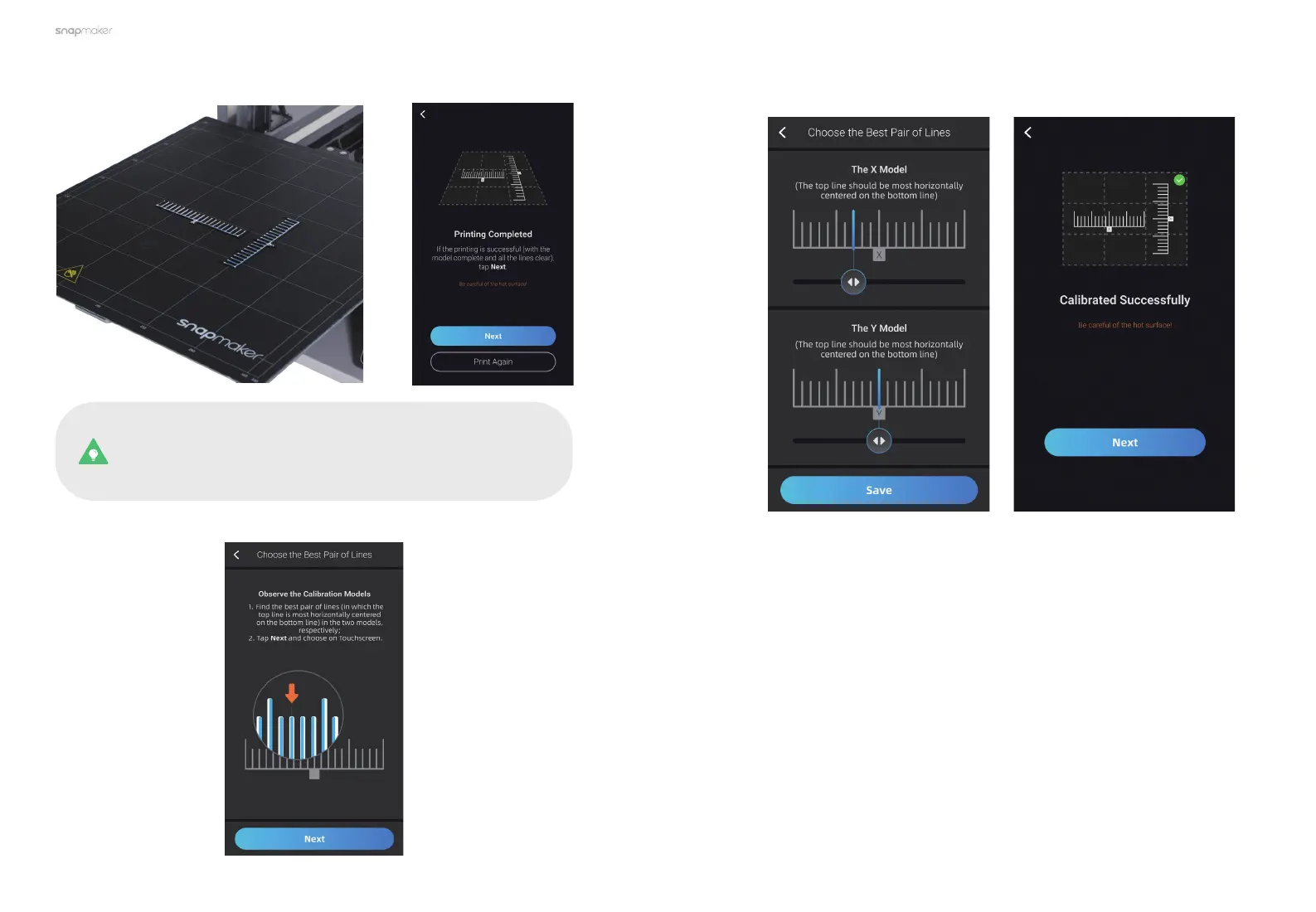
1. When the filament loading completes, the machine will automatically print
the calibration models.
If the printing is unsuccessful, clean the Print Sheet. Now you
can either tap Print Again, or return to Calibration and redo
the Leveling and Z Offset Calibration. Then, try printing the
calibration models again.
2. Follow the prompts on the Touchscreen to find the best pair of lines.
3. Slide to choose the best pair of lines.
3.3.3 Offset Calibration Check
After the Leveling, Z Offset Calibration and XY Offset Calibration completes, you
can print a built-in model to check if the offset calibrations are successful.



 To Next Page