40
|
Snapmaker Enclosure
|
41
How to Use
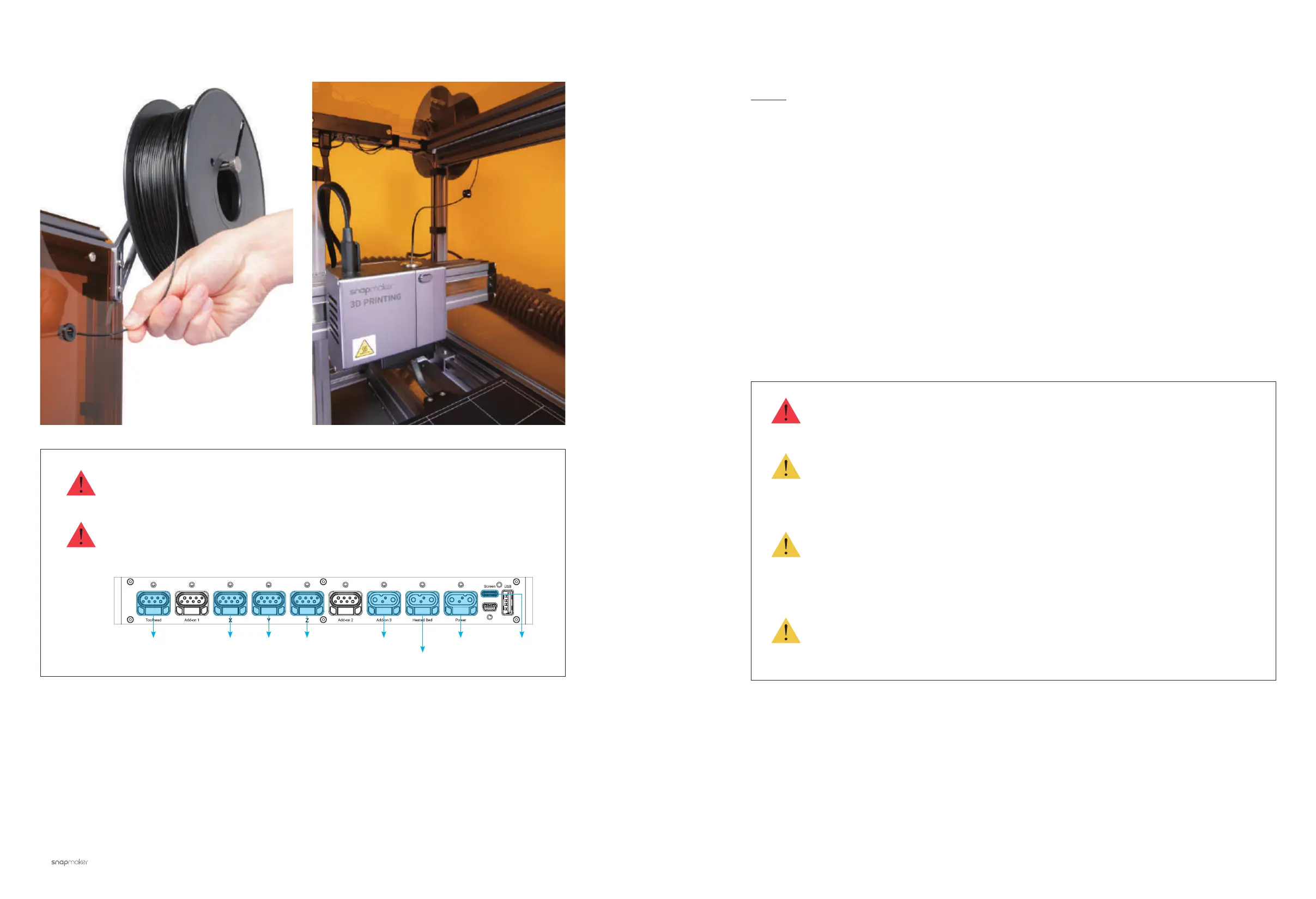
To use 3D printing function inside the enclosure, please place the filament as below.
A built-in smart sensor in the 24 BEAM A150-3 of the enclosure is designed to detect the
status of the enclosure doors. When any one of the doors is opened, the laser or CNC
process will stop automatically and a notification will be shown on the Touchscreen.
To resume the process, close the door and follow the instructions on the Touchscreen.
If you need to open the door frequently and do not expect the ongoing process to be
paused, you can enter Home -> Enclosure -> Settings to disable the Door Detection.
When the machine is connected to a computer with the USB cable, and is operated
on a laser process through Snapmaker Luban, the Door Detection is not available. In
this case, do not open the enclosure door, otherwise the laser will stop emitting, which
leads to failure of the engraving job.
Door Detection applies only to laser and CNC functions, excluding 3D printing.
Moreover, Door Detection is applicable only when the machine is run through USB flash
drive and Wi-Fi.
Safety Goggles must be worn before opening the door during a laser or CNC process.
When the machine is connected to computer with USB cable, and is operated on a CNC
process through Snapmaker Luban, the Door Detection is not available. In this case,
the ongoing CNC process is not affected when any of the enclosure doors is opened/
closed.
3.3 Door Detection (For Laser & CNC
)
Guides & Pictures / Snapmaker
Do not plug or unplug any cables with the machine powered on.
Check if all the cables are properly connected before powering on the machine. Wrong
connection may cause damage to the machine.
Toolhead X Axis Y Axis Z Axis Enclosure
Heated Bed
Power Module Touchscreen



 To Next Page