1312
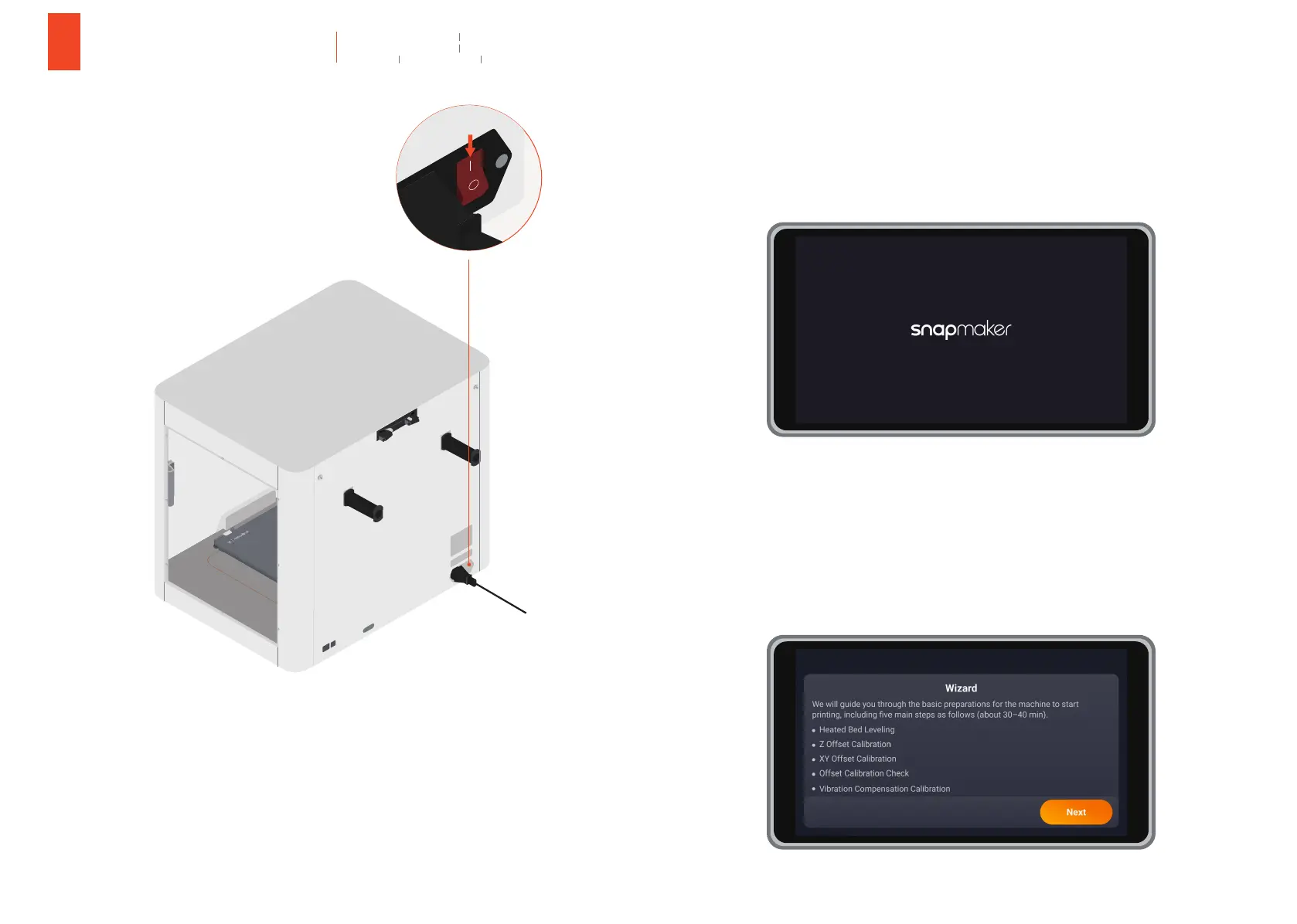
4.1 Turn on the printer.
4.2 Follow the guidance of the Touchscreen to set up your printer.
a. Complete the general settings.
b. Follow the Wizard to complete the steps needed to start a print.
Schalten Sie den Drucker ein.
Allumez l'imprimante.
Encender la impresora
Accendere la stampante.
打开电源开关。
プリンター の 電 源を入 れ ます。
Folgen Sie den Anweisungen auf dem Touchscreen, um Ihren Drucker einzurichten.
Suivre les instructions fournies à l’écran tactile pour configurer votre imprimante.
Seguir los pasos indicados en la pantalla táctil para configurar la impresora.
Seguire le istruzioni sullo Schermo a sfioramento per configurarla.
依照触控屏的指引,完成初始设置。
タッチスクリーンのガイダンスに従って、プリンタを設置します。
Vervollständigen Sie die allgemeinen Einstellungen.
Terminer les réglages généraux.
Finalizar los ajustes generales.
Completare le impostazioni generali.
完成通用初始化设置。
一般設定を完了します。
Folgen Sie dem Wizard, um die zum Starten eines Druckvorgangs erforderlichen Schritte auszuführen.
Suivre l’Assistant pour procéder aux étapes nécessaires au lancement d’une impression.
Seguir el Asistente para realizar los pasos necesarios para iniciar una impresión.
Seguire la Procedura guidata per completare i passaggi necessari per avviare la stampa.
跟随向导,完成打印准备步骤。
ウィザードに従って、プリントを開始するために必要な手順を完了します。
가이
3
Using the Printer
4
Verwendung des Druckers Uso de la impresora
Utilisation de l’imprimante Utilizzo della stampante
使用打印机 プリンター の 使 用
ON



 To Next Page