13
snom D7 User Manual Getting to Know your Expansion Module
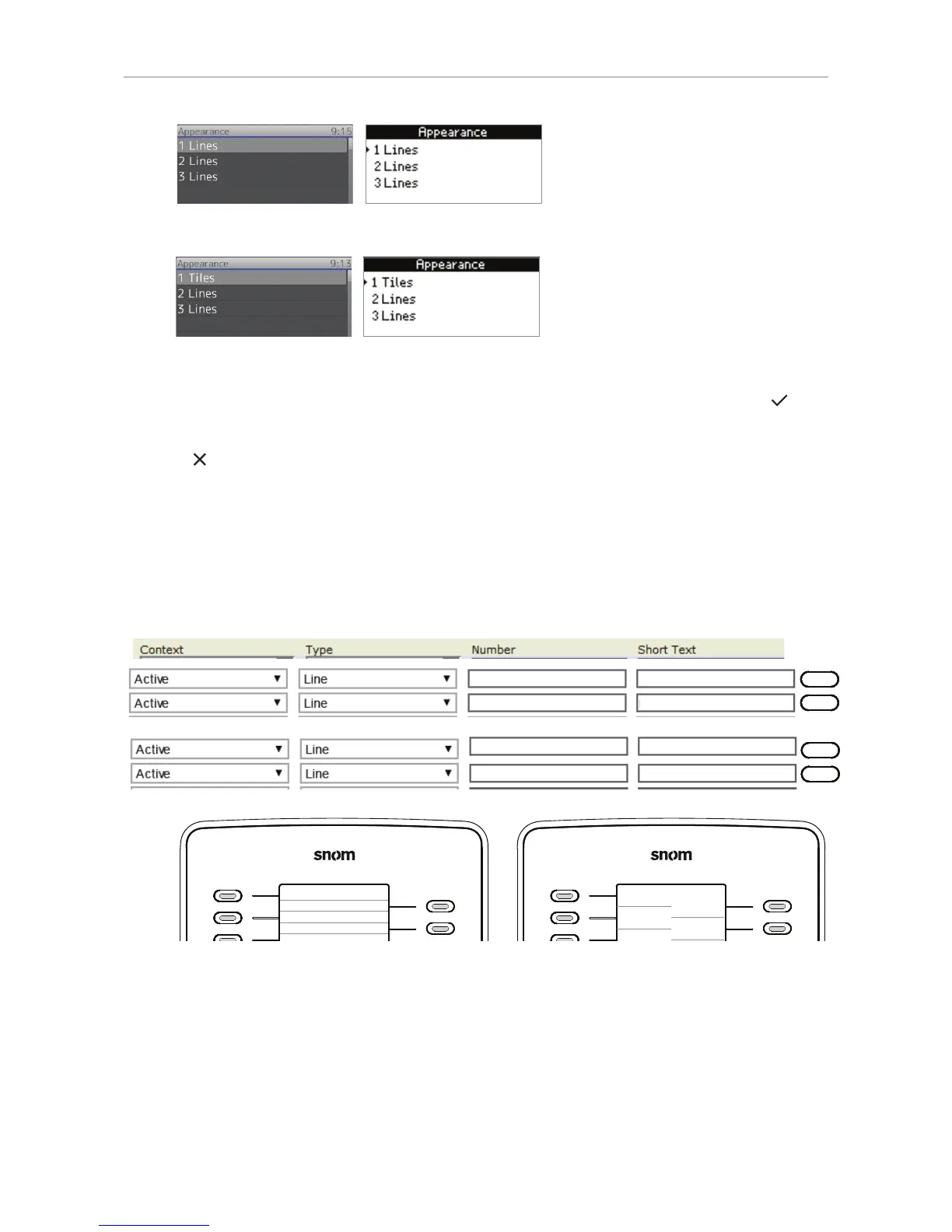
Fig. 18 Fig. 19
Fig. 20 Fig. 21
◦ Alternative method: Use the navigation key to select the expansion module and press to
change it and save the change simultaneously.
7. Press
for 3 seconds to return to the idle screen.
Function key content
When the key is idle, its allocated area will show the content entered in the text field of "Short Text"
on the "Function Keys" page of the phone's web interface (or on the phone itself in Settings > 1
Preferences > 6 Fkeys > selected Fkey > Short Text).
1
2
10
11
10
11
Fig. 22
Depending on the function mapped onto the key, its allocated display area will show the context
information when the key event occurs or when the key is pressed; it will revert to the idle content
when the key event has ended or when the key is pressed again.
For more information on the available functions and on how to program and use the keys, please refer
to the phone's manual, chapter "Programming the Function Keys".
1234567890
1234567890
Joe Miller
123@example.com
123@example.com Mary Smith
Joe Miller
Mary Smith
Joe Miller
Mary Smit
h



 To Next Page