15
snom D7 User Manual Configuring the Function Keys
Configuring the Function Keys
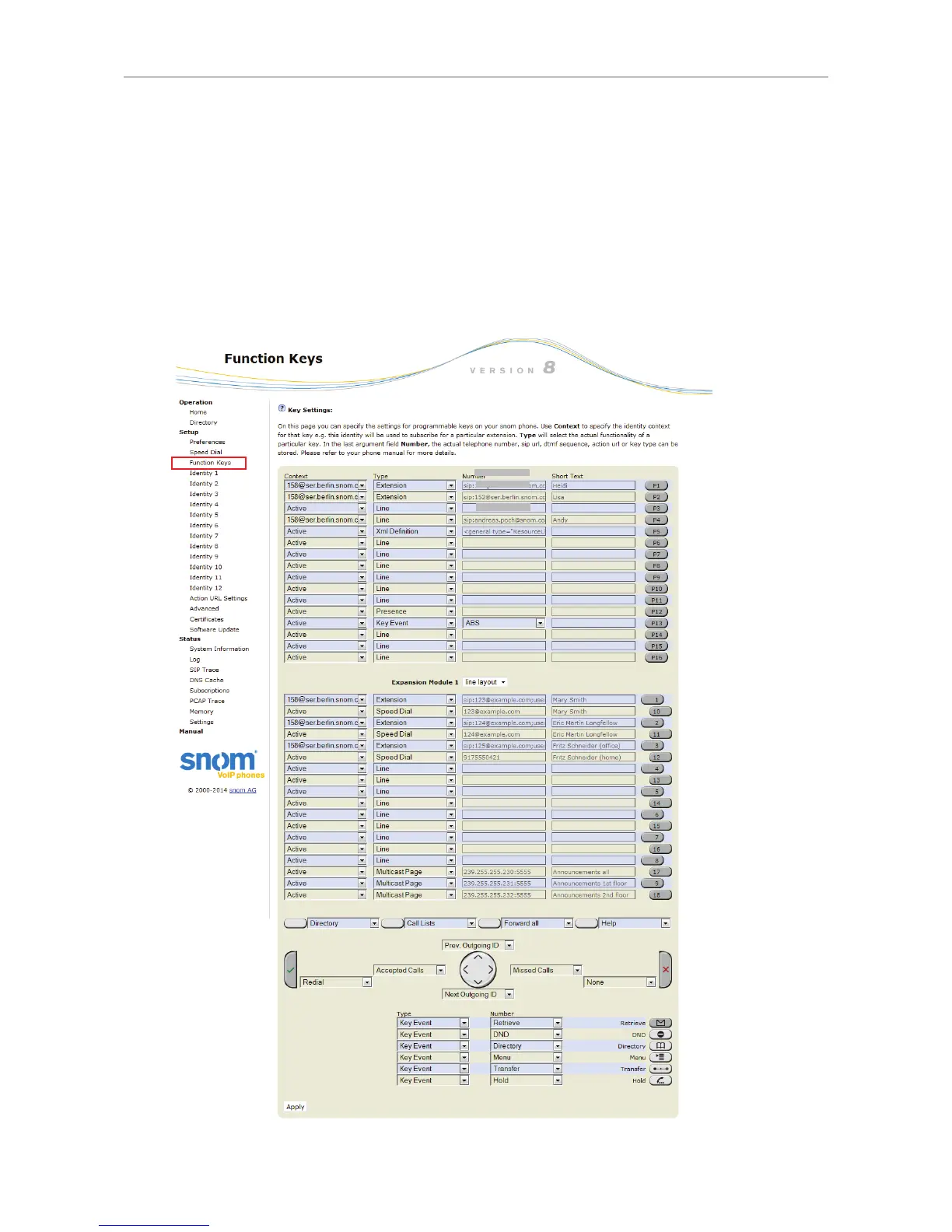
The function keys on the expansion module are configured and work like function keys with LEDs
on the phone itself. The settings are stored on the phone and will remain stored there when the
expansion module is disconnected; if the expansion module is replaced by another module, the
settings will by used by that module. For more information on the available functions and on how to
program and use the keys, please refer to the phone's manual, chapter "Programming the Function
Keys". You can download the manual at http://wiki.snom.com.
Fig. 23 - Snom phone with one connected D7 expansion module



 To Next Page