7
snom D7 User Manual Setting up the Expansion Module
Connecting the Snom D7 to the Snom phone
You can connect one, two, or three Snom D7s to one phone of the Snom 7xx or 3xx series with a
USB port. The first expansion module is supplied with power by the phone via the module's USB
cable. The second module requires the separately available power adapter PSAC10R-050, Snom PN
00002730. The third expansion module is supplied with power by the second module via the third
module's USB cable.
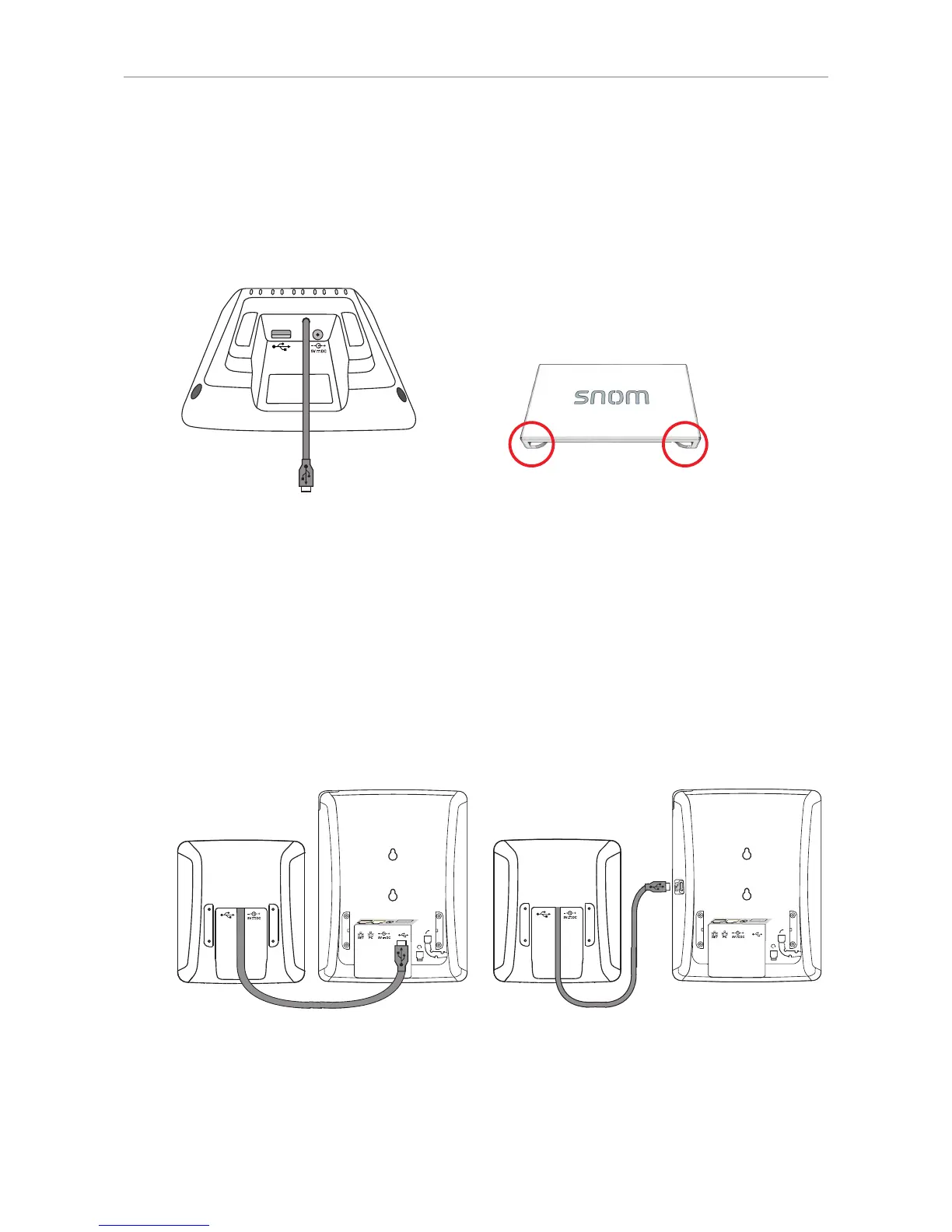
Fig. 4 Fig. 4-A
The connector is used to connect the footstand of the first D7 to the footstand of the phone, the
second D7 to the first one, and the third D7 to the second one in the daisy-chain. On either side of
the connector there are "hooks" (Fig. 4-A) that fit into the slideguides on the footstand (see Fig.1 in
"Attaching the footstand" on page 6). Insert one of the "hooks" in the slideguide of the footstand of
the phone or D7 and the other one in the slideguide of the footstand on the adjoining D7, then sled the
connector downward until the "hooks" lock into place.
Connecting one expansion module
1. Insert the USB plug attached to the cable of the Snom D7 into the USB port on the Snom phone. If
the phone has two USB ports, either one of them can be used (Fig. 5 and Fig. 6).
Fig. 5 Fig. 6
2. The LEDs on the expansion module will light up briefly, then turn o, indicating that the function
keys are now ready for use.



 To Next Page