9
snom D7 User Manual Setting up the Expansion Module
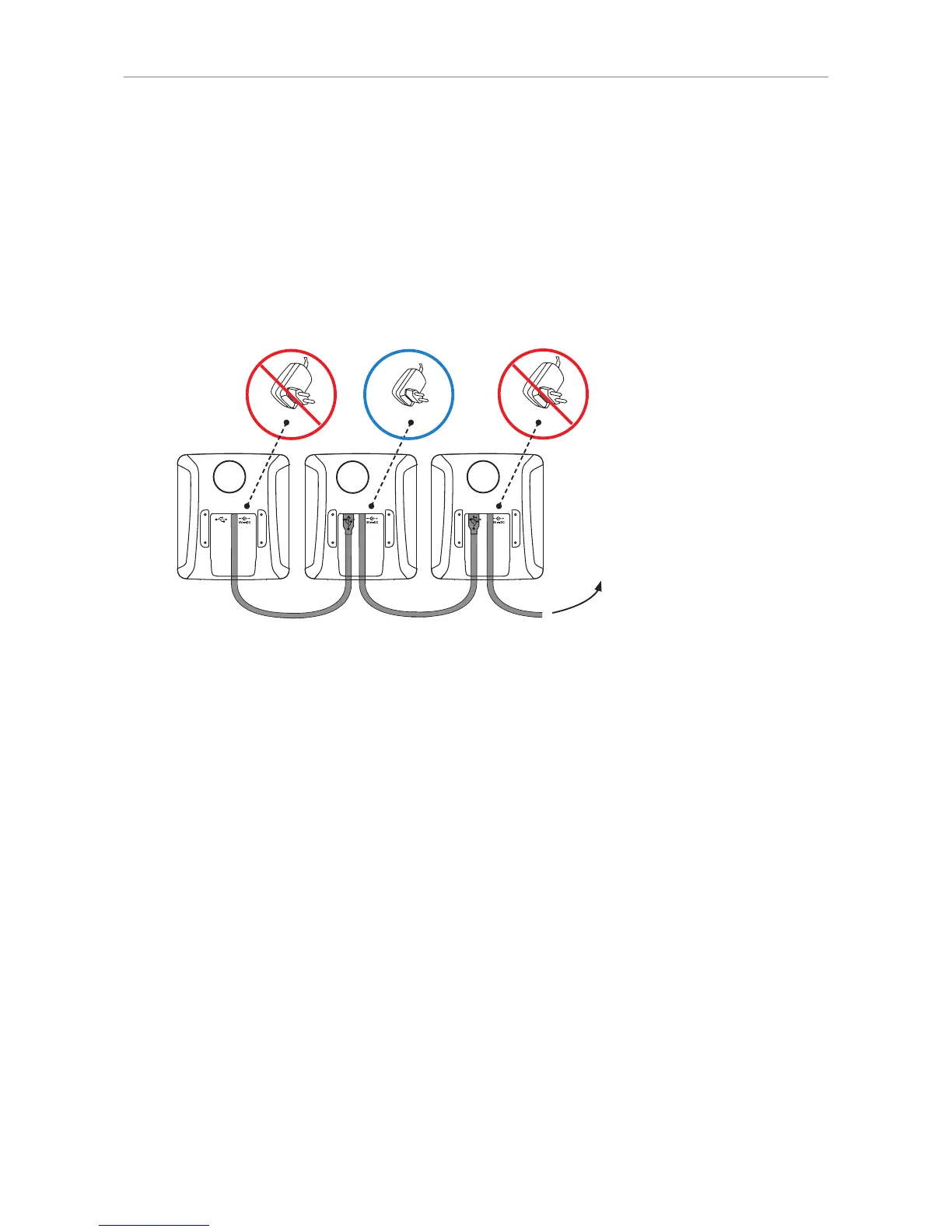
Connecting three expansion modules
Very important when three expansion modules are connected to the phone:
◦ The modules must be daisy-chained, as shown in Fig. 9. If they are not, the phone will not be
able to find and identify the function keys, and you will not be able to use them. Do not use a
USB hub or, if the phone has more than one USB port, do not connect expansion modules to
more than one port (Fig. 8).
◦ The separately available power adapter PSAC10R-050 (Snom PN 00002730) must be attached
to the second module in the chain, as shown in Fig. 9.
Snom phone
13
2
Fig. 9
1. Connect the expansion modules to each other, as shown in Fig. 9.
2. Attach the power supply to the second module, as shown in Fig. 9.
3. Connect the power supply to the wall outlet.
4. Connect the first expansion module to the phone, as shown in Fig. 5 or 6.
5. The LEDs on the expansion modules will light up briefly, then turn o, indicating that the modules
are now ready for use.



 To Next Page