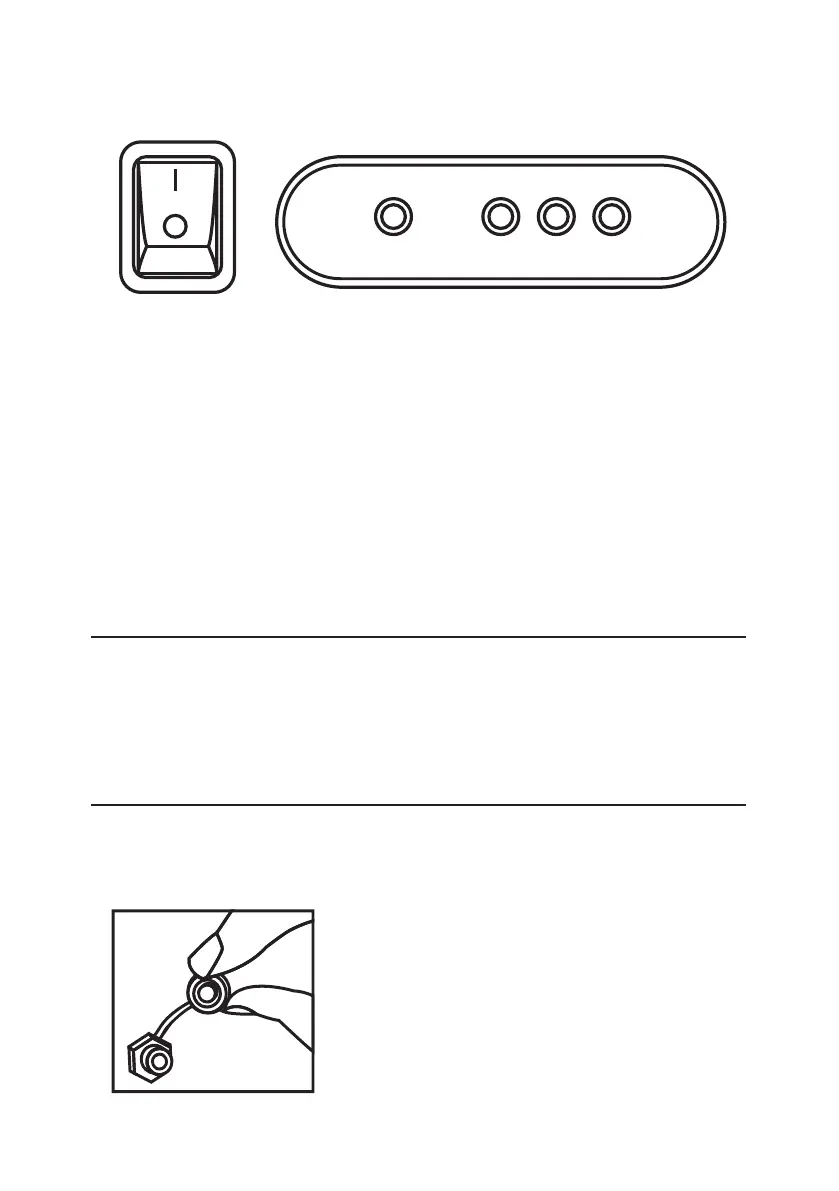
• Use the On/Off switch to power the appliance on or off. The On/Off
switch light will indicate the appliance is on.
• Let the appliance run a few cycles so that it can fully calibrate.
• The appliance will now start making ice. *Time between ice making
cycles will vary depending on the ambient and water temperature.
SWITCHING THE APPLIANCE OFF:
• Wait for the current ice cycle to finish and use the On/Off switch to
turn the appliance off.
• Unplug the appliance from the power source.
To ensure safety, remember to always disconnect the appliance
from the power supply before any form of maintenance or cleaning.
10
CONTROL PANEL
RUN FAULT ICE
FULL
WATER
LOW
MAINTAINENCE
INTERNAL CLEANING
• Remove the drain cap.
• Remove the grommet for the
water to drain.
• Refit the grommet and the drain
cap after the water reservoir has
drained completely.
• Ensure that the water inlet filter
does not have any debris.
CLEANING



 To Next Page