
 Need help?
Do you have a question about the socomec COUNTIS E03 and is the answer not in the manual?
Safety warnings about electrical hazards, installation, and repair.
Precautions to prevent unit damage due to incorrect installation or operation.
User's responsibility regarding installation, connection, and use according to standards.
Overview of COUNTIS E03/E04 energy meters for single-phase networks.
Lists key functions like energy measurement, tariff management, and communication.
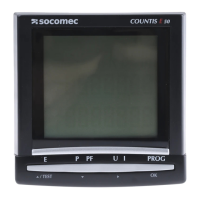
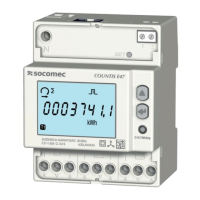
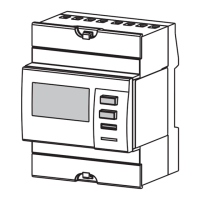
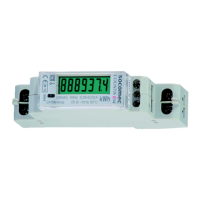
Identifies components on the front panels of COUNTIS E03 and E04.
Provides physical dimensions of the COUNTIS E03/E04 devices in mm/inches.
Safety advice and recommendations for device installation.
Instructions for mounting the COUNTIS E03/E04 on a 35-mm DIN rail.
Shows electrical connection diagrams for the devices.
Explains how to connect the device to the power supply and loads.
Overview of Modbus communication via RS485 link for device operation.
Guidelines for using shielded twisted pairs and termination resistors for RS485.
Points to online resources for communication tables and notes.
Describes how to change communication settings via the device's screen.
Step-by-step guide to enter programming mode and view the SETUP menu.
Step-by-step instructions for starting the partial energy meter.
Step-by-step instructions for stopping the partial energy meter.
Describes error messages and indicates when the meter needs replacement.
Lists general features like compliance, frequency, and power supply.
Details features like connectivity, memory storage, and tariff identification.
Specifies current measurement parameters like type, input, and limits.
Details the overload capacity for DC voltage and current.
Provides details on voltage measurement range and power consumption.
Details the frequency measurement range.
Covers active, reactive, and total energy measurements, MID metering.
Specifies the accuracy classes for active and reactive energy.
Specifies display type, refresh time, and ranges for various measurements.
Details RS485 protocol, baud rates, insulation, and load unit.
Information on where energy registers are saved.
Lists mechanical, electromagnetic, temperature, humidity, installation, and vibration specifications.
 General
| Brand | socomec |
|---|---|
| Model | COUNTIS E03 |
| Category | Measuring Instruments |
| Language | English |



 To Next Page
