www.soehnle-professional.com
2.6 X10 resolution
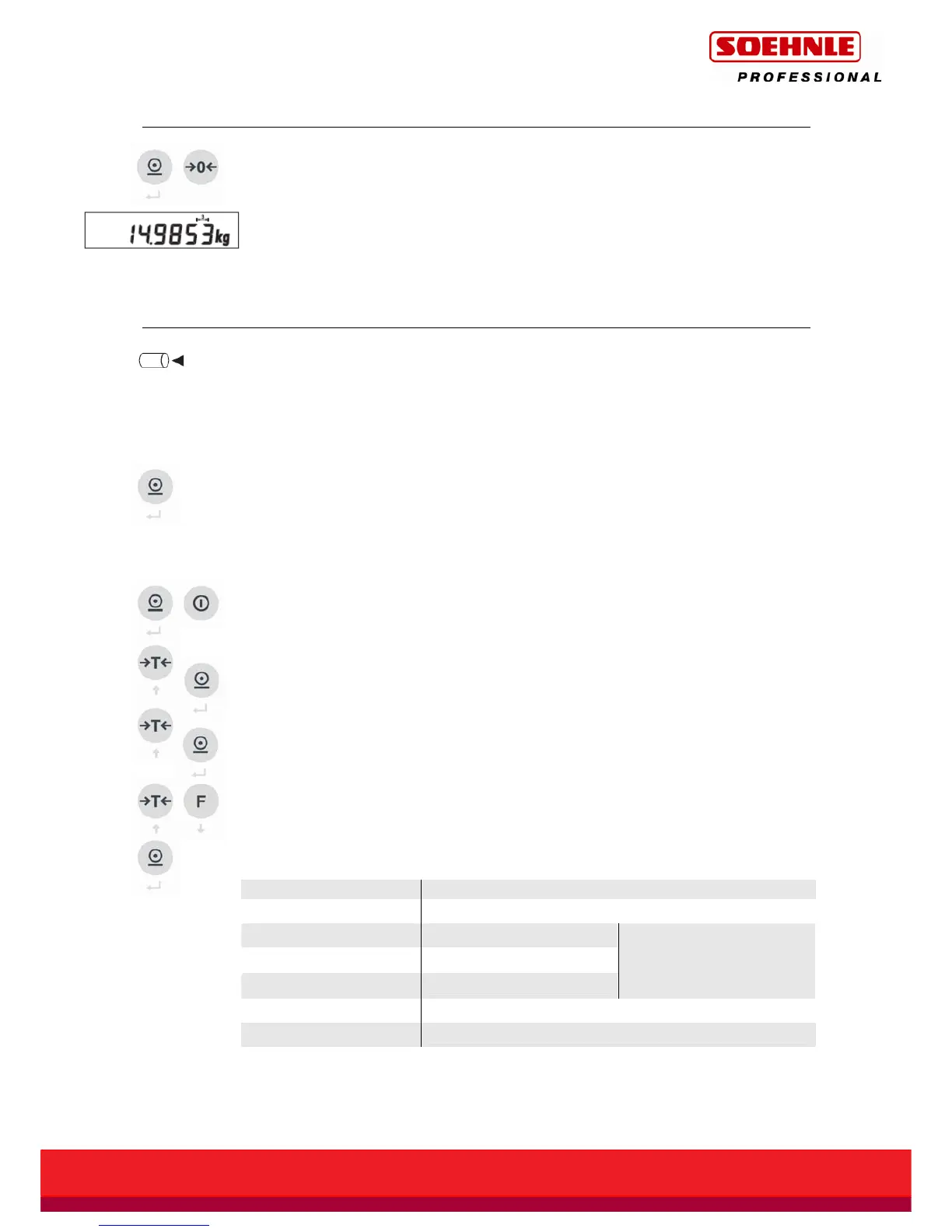
The resolution can be increased by a factor of ten by simultaneously pressing the
Print button and the Zero button.
On verifiable calibrated scales, the higher resolution appears for 5 seconds or
flashes as long as the buttons are pressed and held – on non-verifiable calibrated
scales it appears until the Print button and Zero button are pressed again.
2.7 Alibi memory
This symbol is currently not shown on the keypad.
The alibi memory is activated in Setting mode (see separate description
470.702.099 User mode 3710). When the alibi memory has been activated, an
arrow points to the corresponding symbol. The arrow flashes when the limit value
entered for full level indication is reached.
Storing in alibi memory is activated by pressing the Print button, or by electronic
data request. To do this, a print image or electronic data set must be configured
appropriately (see separate description 470.508.077 for data interface).
The alibi memory can be queried (display/print entries) in Setting mode:
Press and hold the Print button then press the On/Off button for 5 seconds until
UCAL1 appears.
With the Tare button, raise this value till UCAL5 appears, then store with the Print
button.
Use the Tare button to move to position 03 and press the Print button to store.
The number of the last stored data set appears. Any data set can be retrieved by
changing its serial number with the arrow keys (Tare / Function key), and then
displayed by confirming with the Print button. The selected data set is shown in a
rolling display, as follows
:
Data on the display Meaning
12
Serial number of alibi entry
7132.12
Scales type
12
Year
0001
Serial number
Serial number of
measuring station
A 12.34 kg
Gross or net alibi entry
A 2.98 kg
T
Tare with alibi ID



 To Next Page