11
2.2 System requirements
1. Broadband router with one free LAN port (10 Mbit/s) and internet access
2. Internet-capable device (e.g. smartphone, tablet or PC/MAC) with web browser of the newest generation. No
software or app installation required.
3. Valid email address for registration on the portal.
2.3 Installation
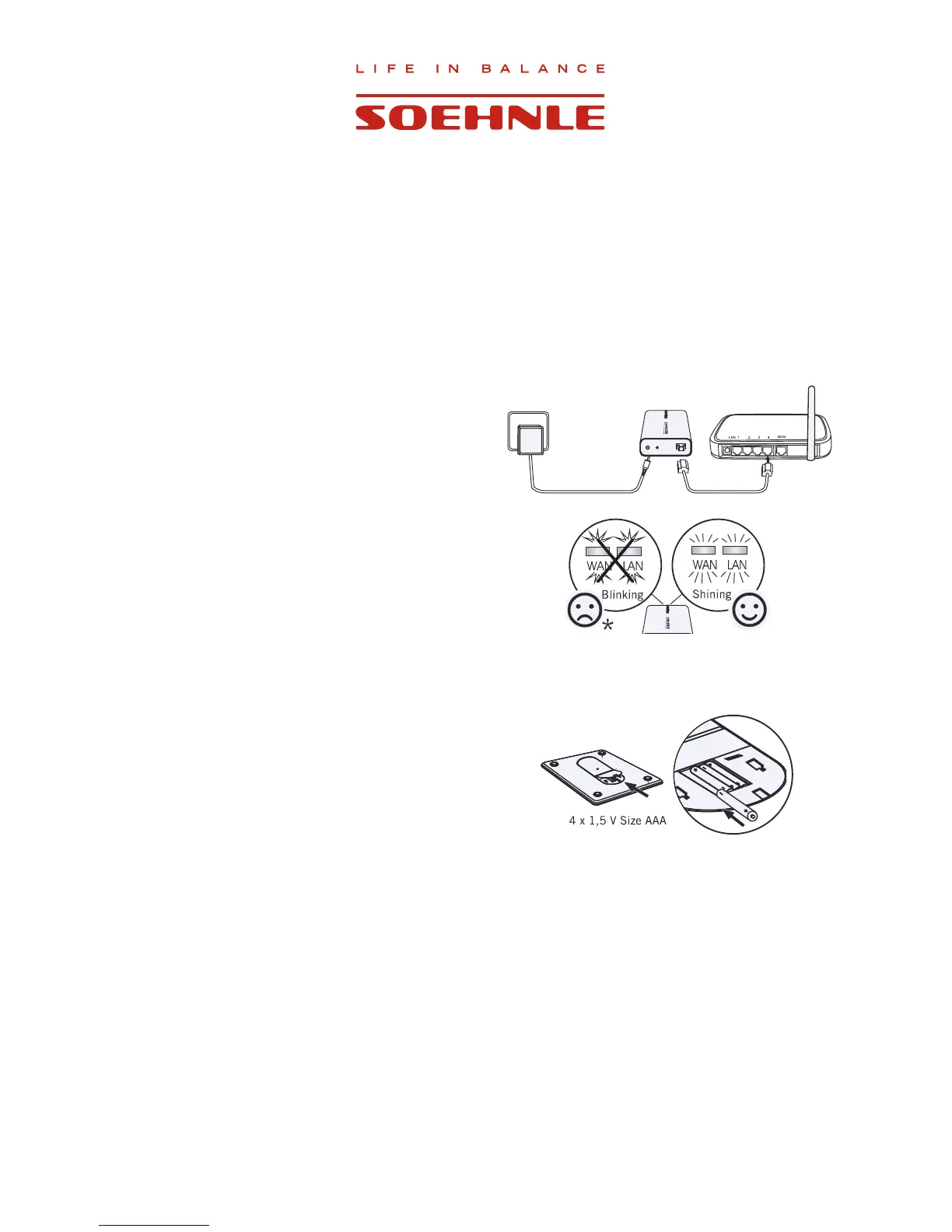
1. Connect the web box with the power supply unit to the
power network.
2. Use the network cable to connect the web box to the
router.
The connection is established when both LEDs light up.
Troubleshooting should be performed according to the
GLVSOD\LIRQHRUERWK/('VÀDVK
WAN = check internet connection
LAN = check router or connection to the router
2.4 Insert or replace batteries
Open battery compartment of weighing platform.
Insert batteries. Observe correct polarity.
Attention
When replacing used batteries, only use fresh batteries of the same type. Never use batteries of a different type or
RIGLIIHUHQWFKDUJHVWDWXV
As an alternative to regular alkaline batteries, NiMh accumulator batteries with a low self-discharge rate are also
recommended.
Important: accumulator batteries must be recharged outside of the device.



 To Next Page