© Softing Industrial Automation GmbH 27
Chapter 5 - Machine Settings
5.2.1.1 Symbol Import
Note
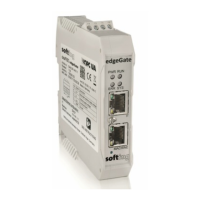
This description only applies to the edgeGate, uaGate SI and uaGate 840D products!
The symbolic names of the SIMATIC S7 data have to be provided in an SDFI file.
You can generate the SDFI file using the Softing dataFEED Exporter tool. This tool uses STEP 7 or TIA Portal project
files as input and allows you to select a S7 PLC to generate the SDFI file containings the symbol definition.
Proceed as follows to convert and import symbol files:
1. Download dataFEED Exporter to that PC where the PLC configuration software (STEP 7 or TIA Portal V13/V14/
V15) is installed.
2. Start the installation process and follow the instructions of the installation wizard.
3. Run dataFEED Exporter from the standard location (Start/All Programs/Softing/dataFEED Exporter/dataFEED
Exporter) or from your specific installation location.
4. Follow the dataFEED Exporter instructions to load and convert your STEP 7 or TIA Portal symbol files.
5. Save the converted SDFI file at your PC.
6. Go back to the dataFEED Gateway and click the Browse... button in the Select File section. Select your
previously converted SDFI file.
7. Click the Import button to import the SDFI file into the dataFEED Gateway.
The imported symbols will replace the already existing symbols. A maximum number of 20,000 symbols can
be imported.
Depending on the number of symbols within the file, the import and internal processing may take some time.
The import of symbolic names containing the special character period (.) is not supported.
The dataFEED Gateway is able to process OPC UA subscriptions of up to 2,500 items of data type Byte using a
polling interval of 200 ms.


 To Next Page