© Softing Industrial Automation GmbH 5
Chapter 2 - Setting Up the Device
2.3 Configuration and Login
IP address information
The default IP address for the Ethernet interface in the machine floor LAN is 192.168.1.111 (see device label).
The IP address of the web server in the common LAN is configured per default via DHCP. Depending on the
configuration of your local DHCP and DNS servers, it is possible to reach the device by this host name in your
network.
The dataFEED Gateway supports the network connection protocol UPnP (Universal Plug And Play) for
Windows 10. The operating systems MAC, Linux and Android use Avahi/Zeroconf, the Zero Configuration
network implementation protocol which identifies the gateway as an HTTPs server.
How to establish an IP connection to the web server of the dataFEED Gateway
Your network has a DHCP and DNS server
Your network does not have a DHCP and DNS server
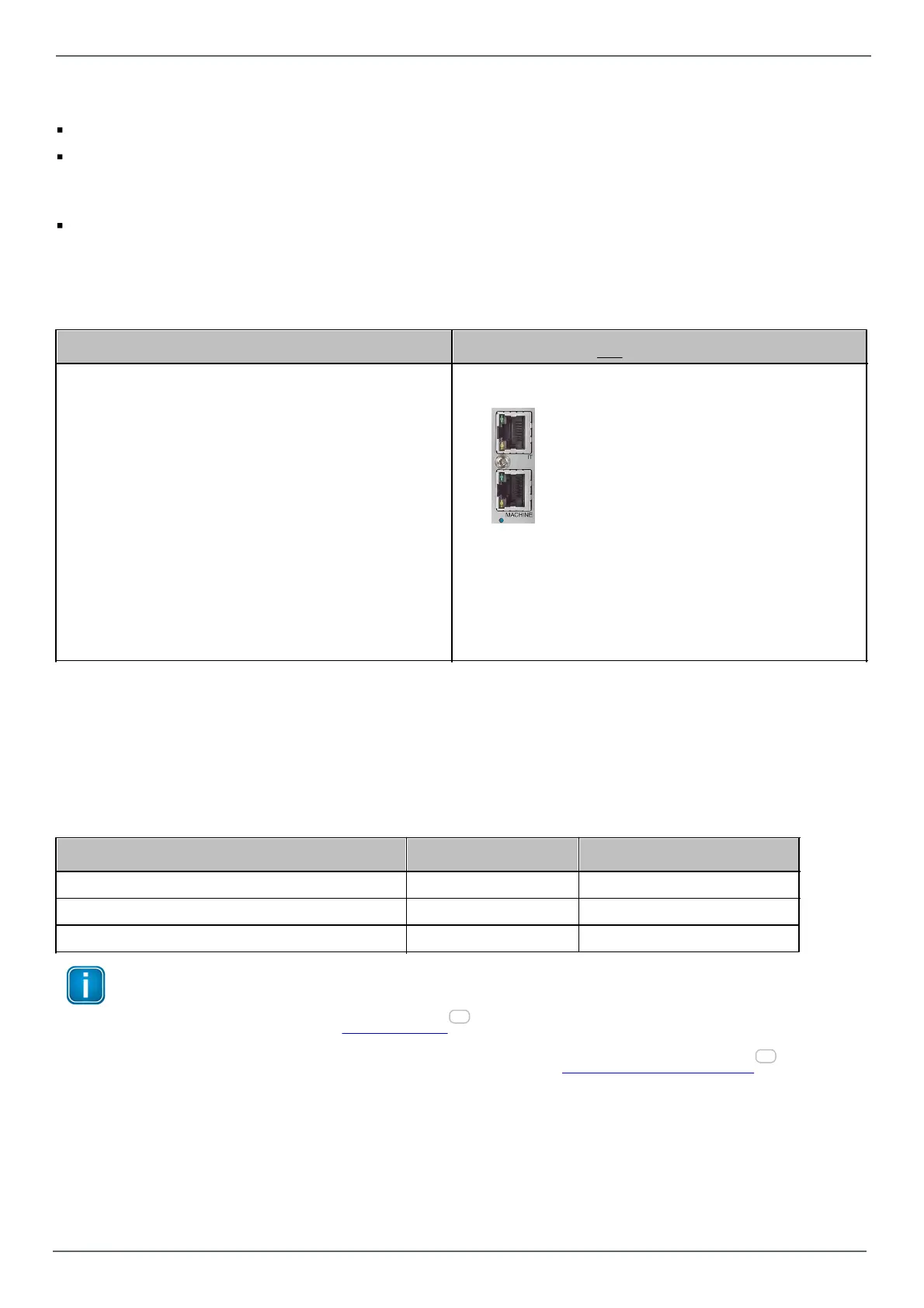
1. Connect the upper Ethernet socket (IT) to your
network.
2. Read the last 4 digits/letters of the dataFEED
Gateway serial number (in the lower left part of
the label). The host name of the device is
uaGate / edgeGate followed by the last 4 digits/
letters of the serial number. For example, if the
serial number is 123456789ab, the host name is
uagate89ab or edgegate89ab.
1. Connect the lower Ethernet socket (MACHINE)
directly to a laptop.
2. Set the laptop IP address to 192.168.1.1/24
3. Open your browser and enter the address http://
<hostname> respectively https://<hostname>.
(*)
3. Open your browser and enter the address
http://192.168.1.111 respectively
https://192.168.1.111 (*)
4. The login window appears.
4. The login window appears.
(*) The dataFEED Gateway supports the HTTPs protocol, which provides a secure and encrypted transfer of
sensitive data such as passwords so the data cannot be read by another network user. In addition, HTTPs
uses a certificate to identify the server. At Softing, we use the OPC UA Server certificate that has been
generated before the last reboot.
Login
Login with the respective login name and password. The following standard logins and passwords are available:
Note
We highly recommend to change the standard password(s) to a secure password after you logged in
for the first time. Refer to User Password for more information.
For an overview of which task can be performed by which role refer to User role and related tasks .
38
38


 To Next Page