Chapter 3 - PBpro ETH Administration
24
PBpro ETH - User Guide
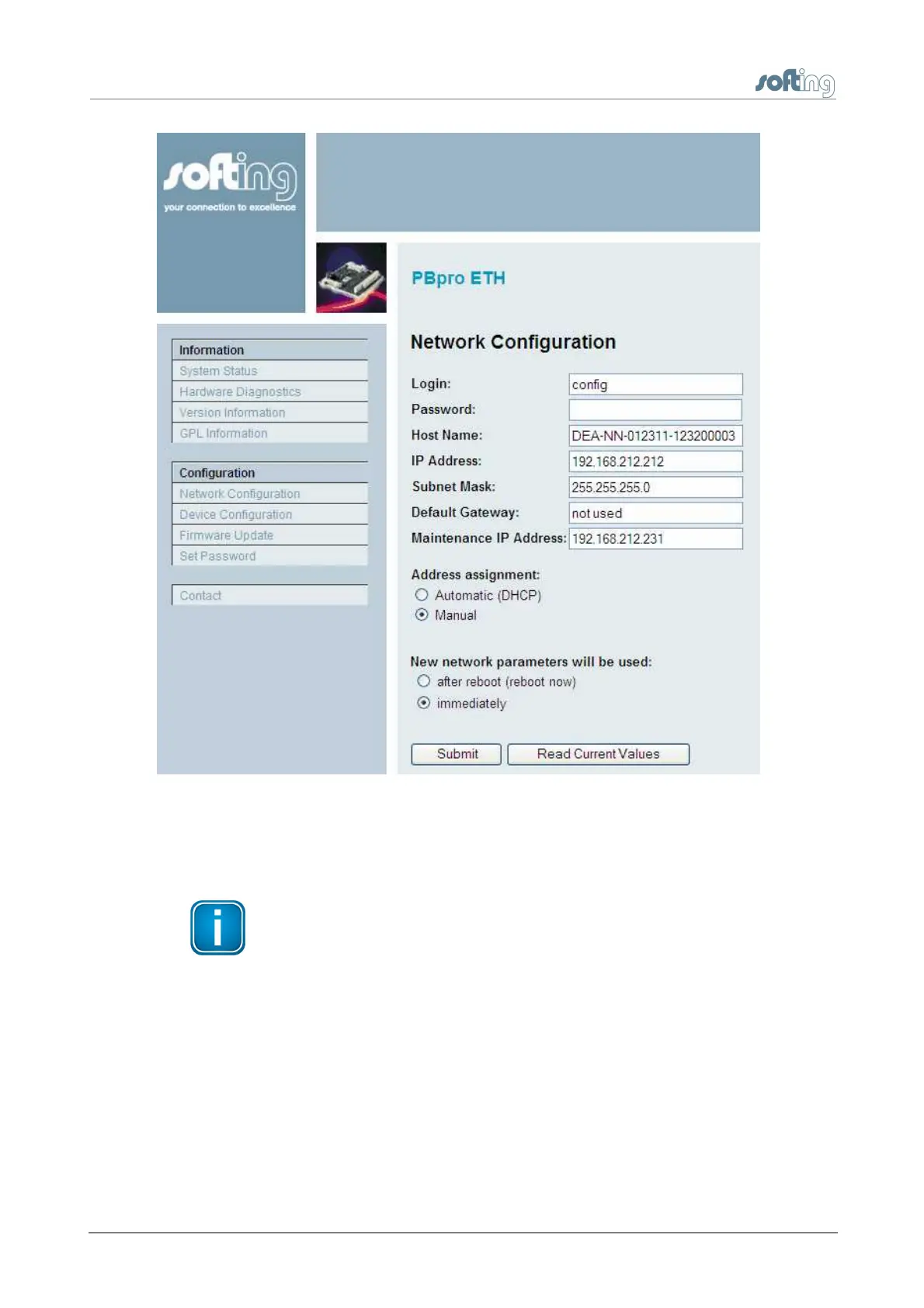
Figure 8: Network Configuration
When the entries are complete, enter the password and click the [Submit] button. The
input values will be checked for consistency.
Note
If you change the IP address of the PBpro ETH, the IP connection between
PC and PBpro ETH will be lost. You have to use the new IP address to
reestablish web access to the Pbpro ETH.
If an inconsistent network configuration is used, it may be impossible to
connect to the PBpro ETH again.
3.3.4.3
Device configuration
The first PROFIBUS channel of a multi-channel device and the single channel variant of
PBpro ETH always have PROFIBUS DP/FMS Master functionality.The additional channels
of a multi-channel device (PROFIBUS2, PROFIBUS3, …) can operate either as DP/FMS
Master or as DP Slave device.


 To Next Page