Chapter 3 - PBpro ETH Administration
PBpro ETH - User Guide
25
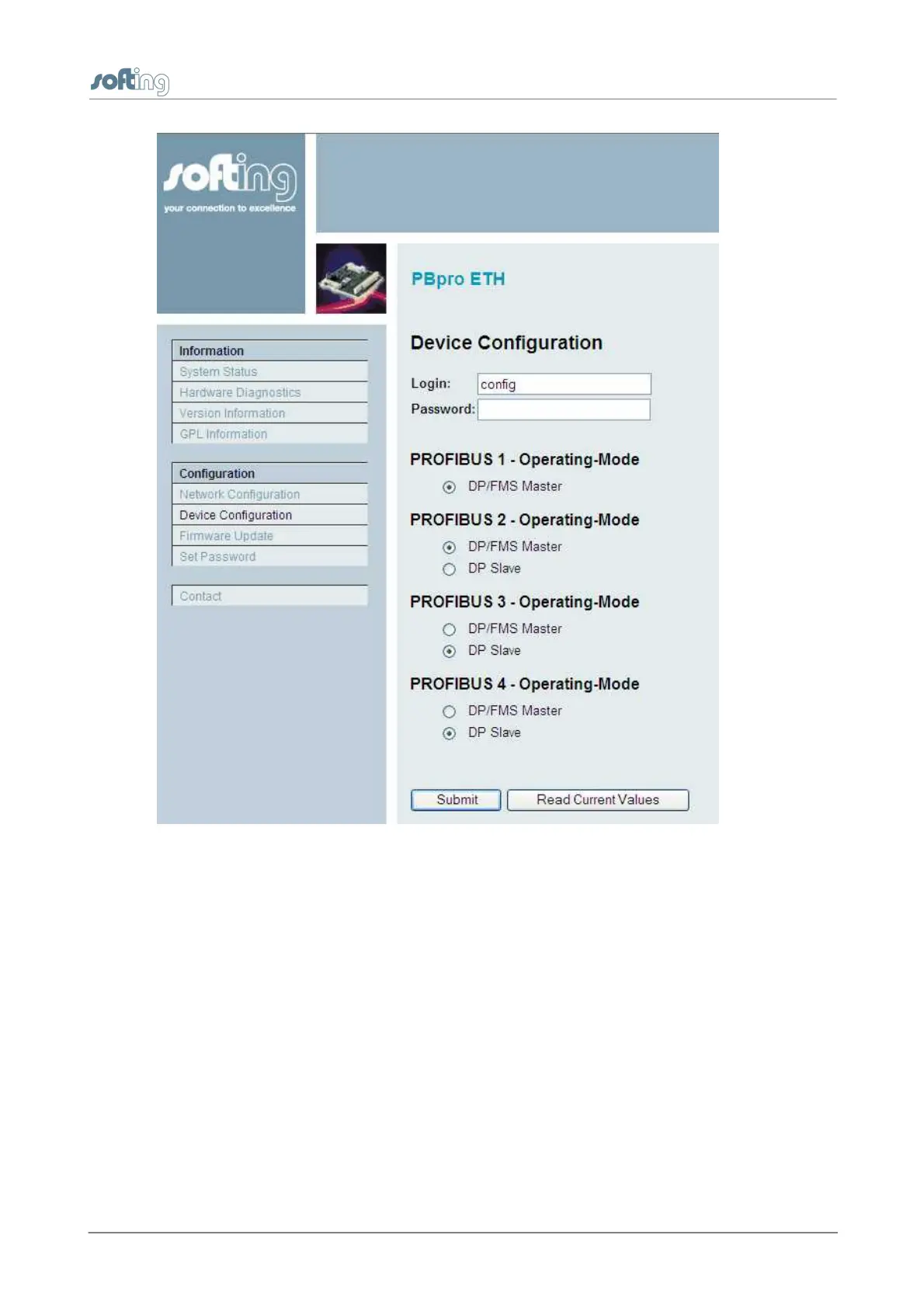
Figure 9: Device Configuration
To change the device configuration, select the desired operating mode of a PROFIBUS
channel and click the [Submit] button. The successful completion of the change process
is indicated by the message Success in the browser window.
3.3.4.4
Firmware update
If a new version of the device's firmware becomes available it can be stored in the device
using this configuration page.
Click the [Select] button to open a file selector box. Here you can choose the firmware file
to be downloaded. You may want to reset the device configuration to factory defaults. The
IP configuration will not be changed.


 To Next Page