CONSOLE 1 USER’S GUIDE | 11
ton in the plug-in window.
Any time you press Solo on the Console1 hard-
ware, the text ” ” will appear in the On-
Screen Display above any channel that has been set
to .
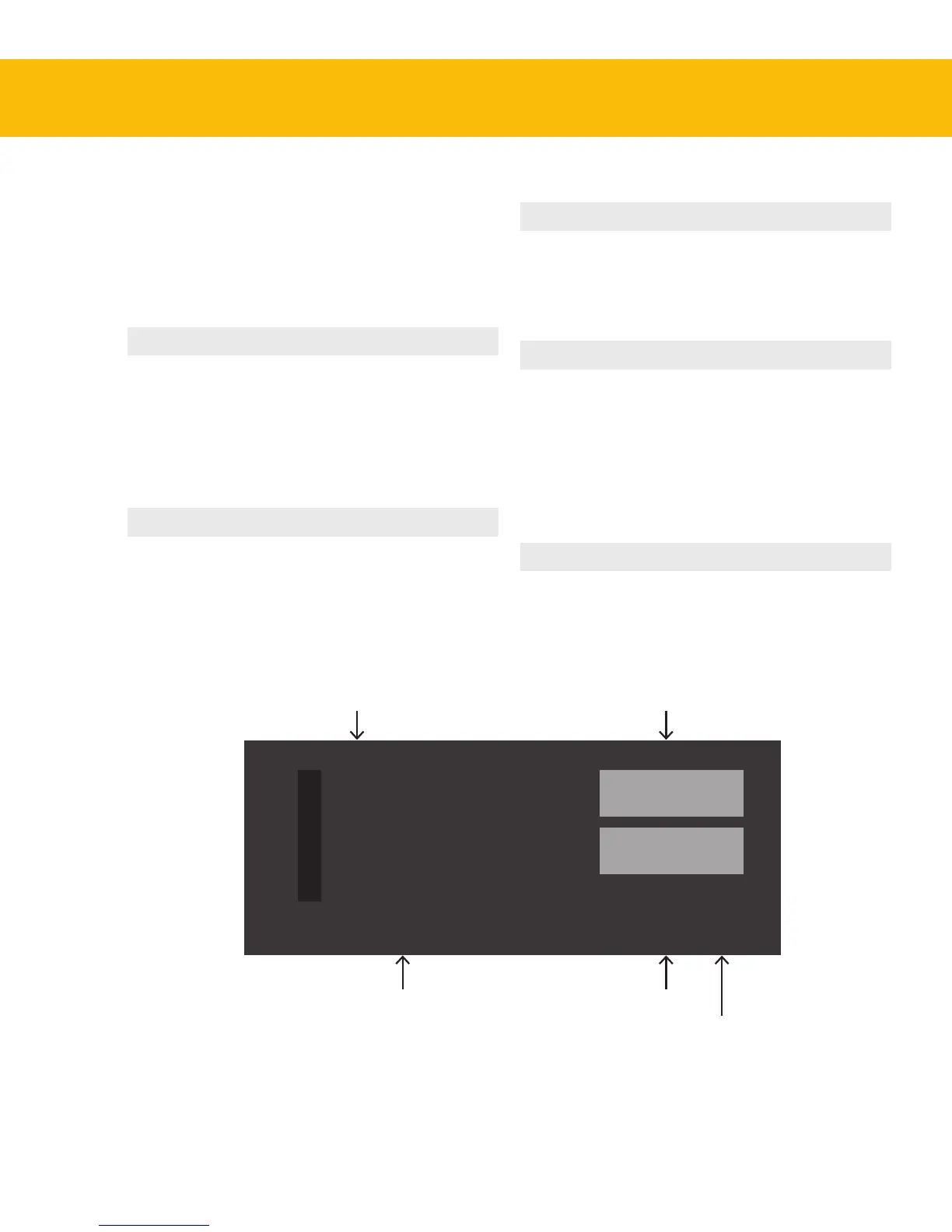
Track Number is is automatically set to
correspond to the DAW track,
in DAWs that support this
function. If your DAW does
not support automatic transfer
of the track number, click the
number set this manually.
Track Name is is automatically set to
correspond to the DAW track,
in DAWs that support this
function. If your DAW does
not support automatic transfer
of the track name, click the
name to set this manually.
Show Knobs Click to open an interface
that resembles the Console1
hardware. Here, you can adjust
the settings using a computer
mouse.
Solo Safe Clicking this excludes the
track/channel from Solo.
When another track is set to
solo, Solo Safe channels will
not be silenced. is option
is recommended for all aux
channels, subgroups and the
master bus.
Auto or Manual Indicates if your DAW sup-
ports automatic transfer of
track number and name, or if
you need to set this manually.
2
Drums OH
Show Knobs
Solo Safe
AUTO
Track Number
Track Name Solo Safe
Auto or Manual
Track Name/Number
Indicator
Show Knobs


 To Next Page