CONSOLE 1 USER’S GUIDE | 47
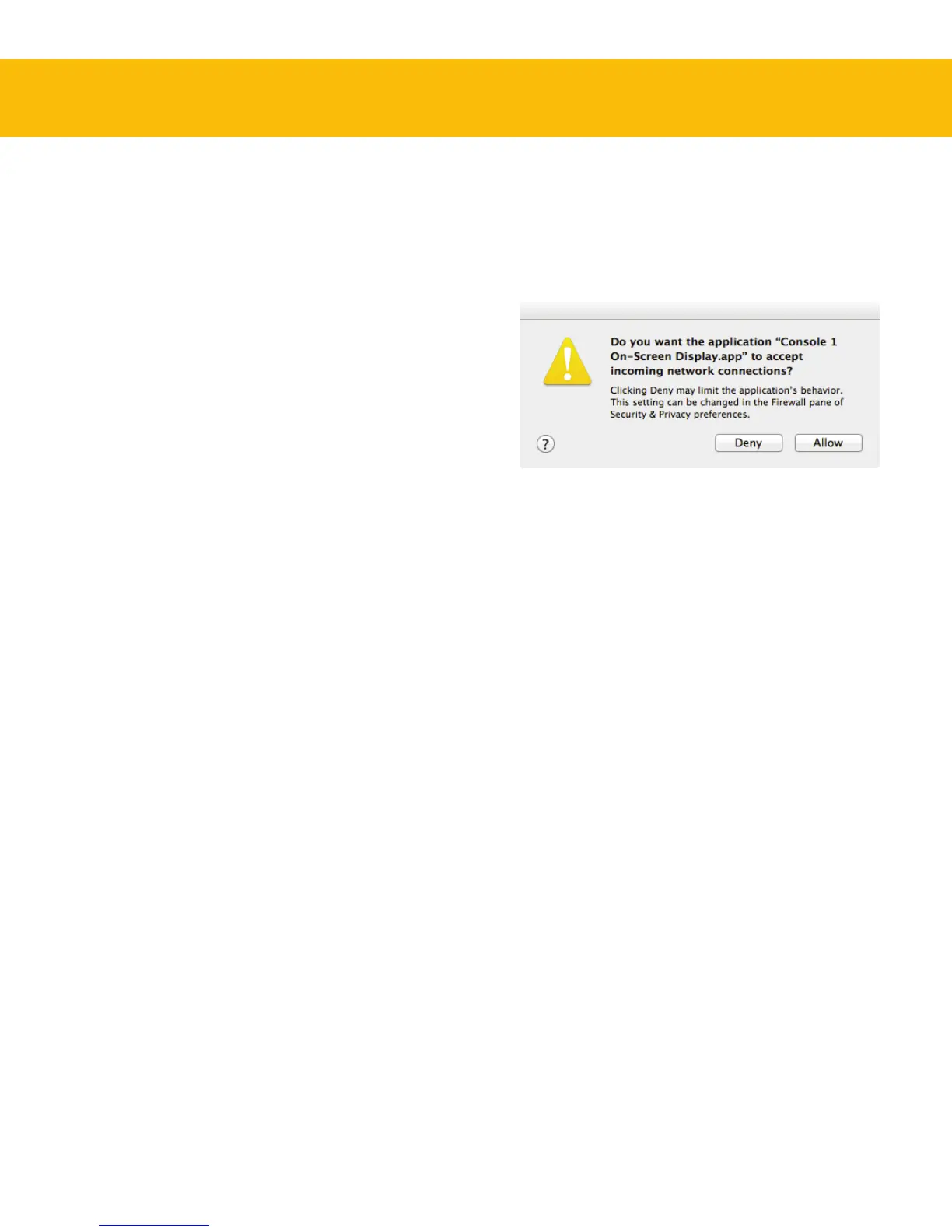
ports to communicate between plug-ins and the
Console 1 application, which will trigger a rewall
alert the rst time the application is started. You
need to click “”, otherwise nothing will
work.
You need to allow Console 1 to accept incoming network connec-
tions for it to communicate with the Console 1 plug-ins.
Please note that Console 1 is not using any external
network trac, like calling home or accessing
Internet. All trac occurs within your computer.
Disconnect Console 1 Before
Computer Sleep
Please disconnect your Console 1 before putting
your computer to sleep. For some unknown reason,
Console 1 and the operating system doesn’t play
nice in sleep mode, and in worst case the computer
might hang.
Troubleshooting
Hardware Does Not Turn On
If you’re using a passive, non-powered, USB hub,
the Console 1 may fail to power on because it is not
getting enough power. Please connect the Con-
sole 1 to a powerered USB hub, or directly to your
computer.
Since Console 1 may require the full 500 mA it may
interfere with other USB appliances on the same
hub.
Software Errors
Even if software errors should be few, you may
sometimes experience an “Unknown Error”. is is
not a problem, and usually just means that “while
your computer did this, it didn’t do that fast enough
for me”. Anyway, if you do get an “Unknown Error”,
please make sure that you have the latest version
of our software installed! If you do, please try the
following steps:
1. Unplug the Console 1 hardware
2. Plug it back in again
If that didn’t help, do this:
3. Exit Console 1 On-Screen Display, unplug the
Console 1 hardware and quit your DAW
4. Start Console 1 On-Screen Display
5. Plug in the Console 1 hardware
6. Start your DAW again
at should denitely do it. If not, try a reboot.
Mac OS 10.8+ Firewall
e Console 1 application uses internal network


 To Next Page