CONSOLE 1 USER’S GUIDE | 15
Shape Section
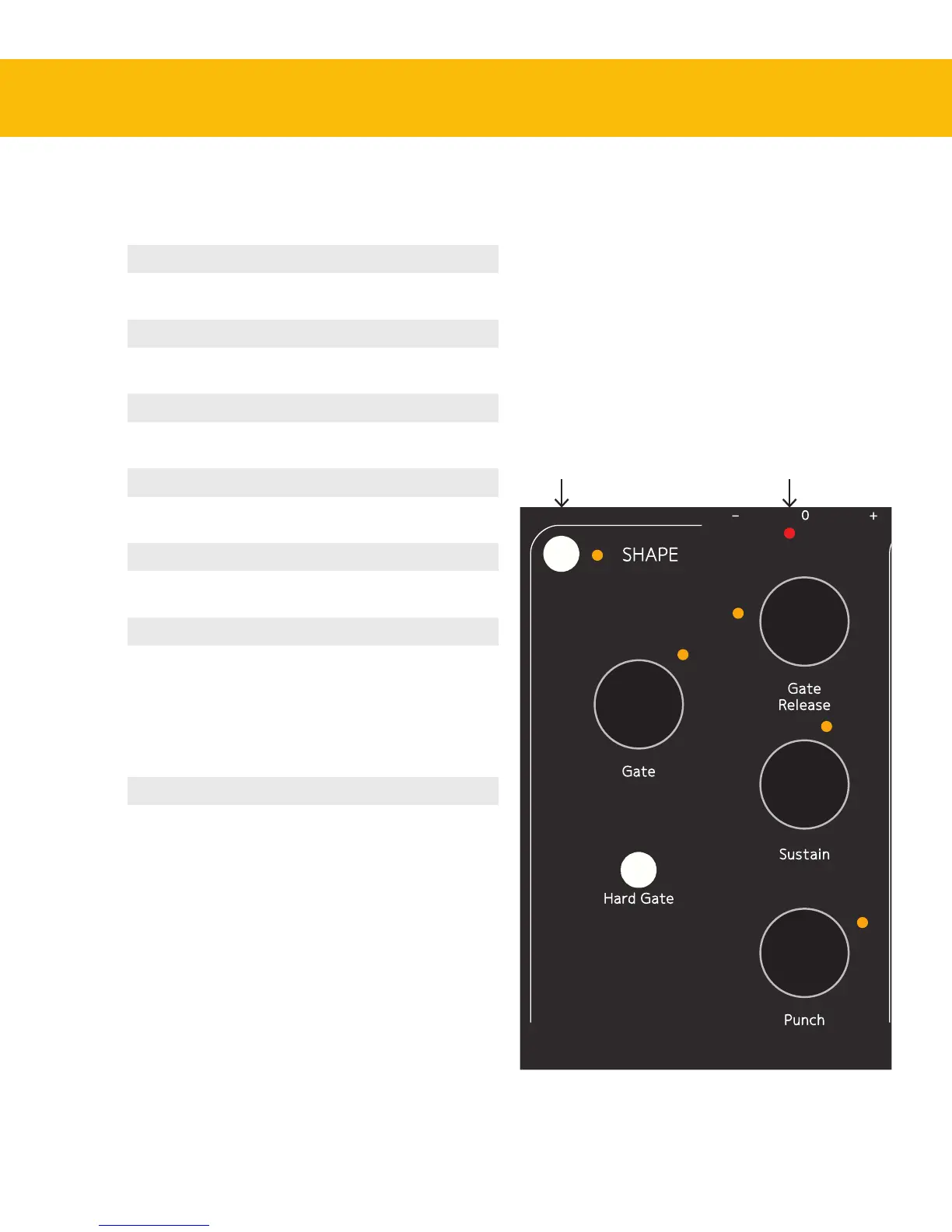
Shape activation Activates or bypasses the
Shape section.
Shape section meter Displays the level changes
caused by the Shape section.
Gate Sets the threshold level of the
gate.
Gate Release Sets the release time of the
gate.
Hard Gate Toggles between
and settings.
Sustain Turned clockwise from its
center position, lengthens the
sustain of the signal. Turned
counterclockwise from its
center position, shortens the
sustain of the signal.
Punch Turned clockwise from its
center position, makes tran-
sients stronger. Turned coun-
terclockwise, makes transients
softer.
Shape section meterShape activation


 To Next Page