36 | USEFUL FUNCTIONS
Duplicate Track Settings
You can duplicate track settings and copy them
from one track to another—or several others. is
can be either the entire channel strip setting, or just
the Shape, EQ or Compressor settings.
1. Select the track you would like to copy from us-
ing the corresponding Track Selector button.
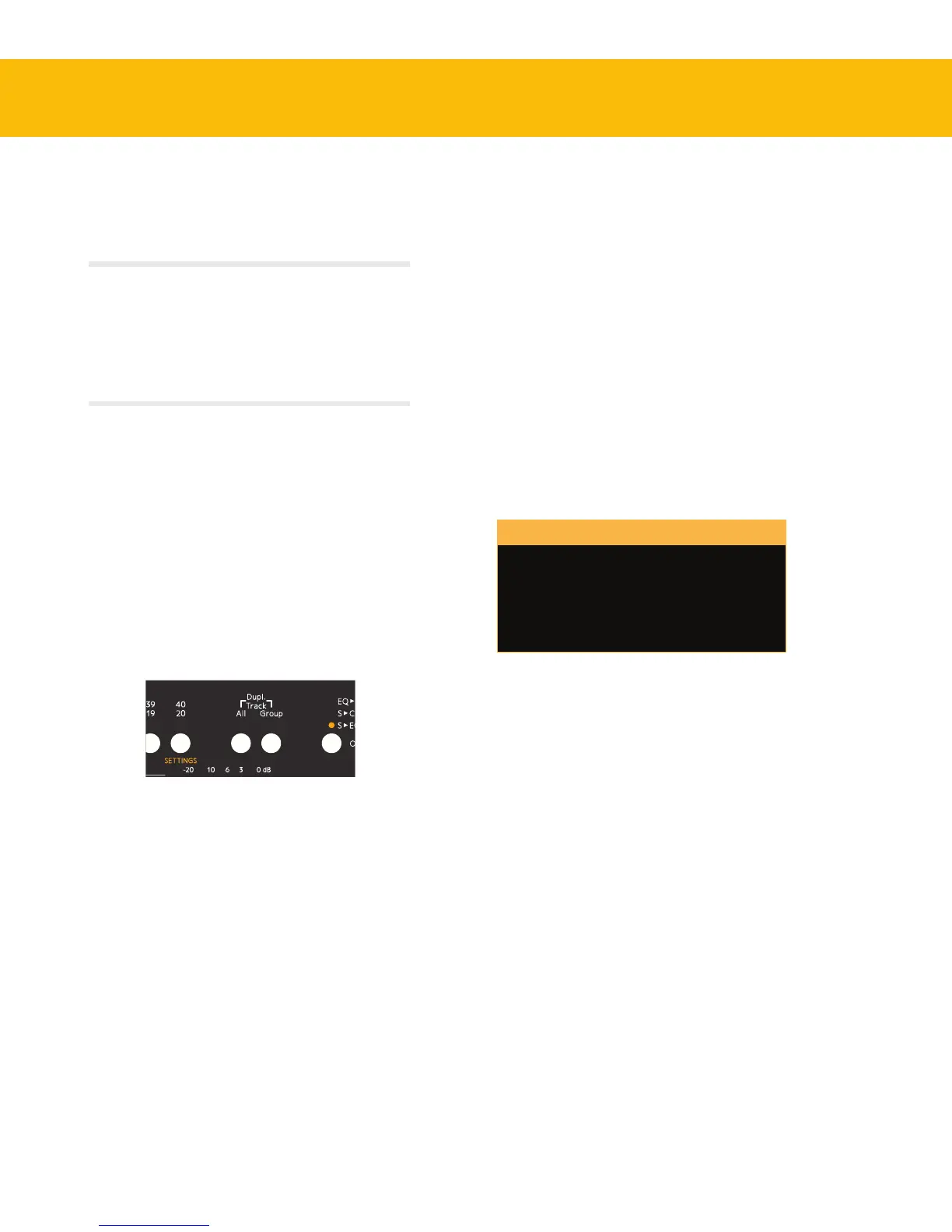
2. Press and hold both All and Group buttons.
A dialog window in the On-Screen Display
will inform you that you are about to copy the
channel strip settings of the selected track, and
prompts you to select the track to which you
would like to copy these settings.
3.
A message window in the On-Screen Display
displays the current action.
Select the track (or tracks) you want to copy to
by pressing the corresponding track selector
button (or buttons), and release the All and
Group buttons.
If you change your mind during this process, simply
deselect the tracks you were copying to by pressing
the track selector buttons again. When you now
release the All and Group buttons, nothing will be
copied.
Duplicate Dierent Sections
In order to not copy the entire channel strip setting,
but just the settings of single eects sections:
1. Press and hold both the All and Group buttons.
grouping. Release the buttons, and perform the
adjustments you would like. Press Group again, or
select another track, to dissolve the group.
Please note that selecting all or creating a group works
similarly to a VCA group on a traditional mixer. This means
that a Console1 track group is not a bus to which all the
tracks are routed and summed together into a single
stereo channel. It is merely a function to simultaneously
adjust parameters of several individual tracks at once.
When selecting All or creating a Group, changes
made to Input Gain, Output Volume, Drive,
Drive Character, High Cut, Low Cut and Pan/
Balance will be performed relative to each channel’s
setting. So if you for example select all and turn
down the Output Volume, the relative level balance
between the tracks will be intact, they will all just be
turned down in volume.
Conversely, when making changes to any other pa-
rameter, this will result in all the tracks getting the
same setting as the currently selected one.
Duplicate tracks by pressing both All
and Group at the same time.


 To Next Page