CONSOLE 1 USER’S GUIDE | 39
Settings
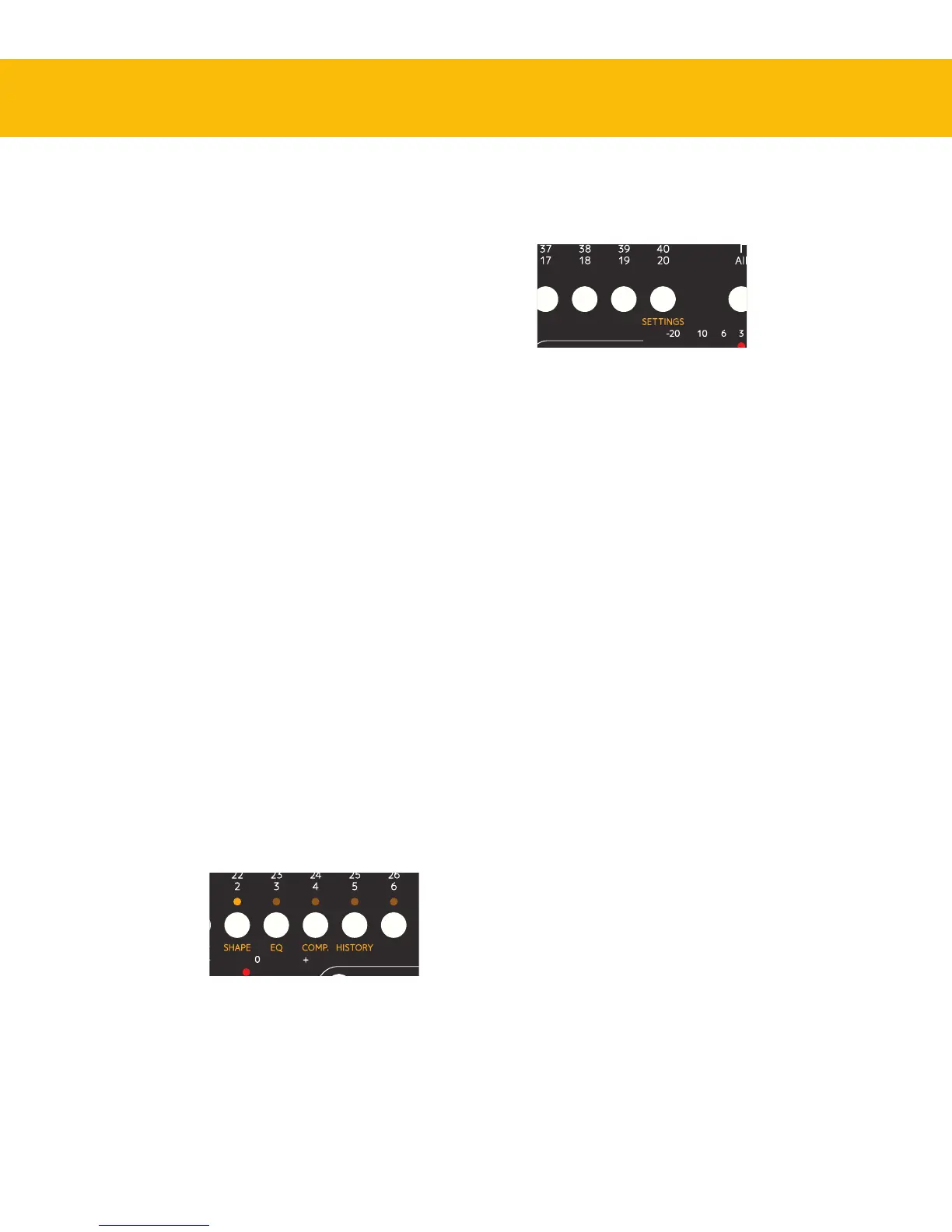
Access settings by pressing Shift
and track selector 20 (Settings)
To access the
Settings menu,
hold Shift and
press the track
selector for track
20, with the
orange text
Settings.
MIDI Controller Mode
e normal way to use Console 1 is with the Con-
sole 1 On-Screen Display and the Console 1 plug-
ins, but it is possible to use it as a generic MIDI
controller. To enter the MIDI mode you need to
quit the Console 1 application and reconnect the
hardware.
History
Most of today’s DAWs have an unlimited undo
function, so whatever mistakes you may have made
can be undone. But this does most often not apply
to plug-in settings. If you have gotten lost while
adjusting a plug-in setting, you can usually not go
back to a previous setting, unless you revert to a
previously saved version of your project.
But Console1 has an unlimited undo function for
its settings, that we call History.
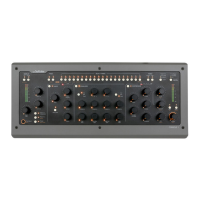
1. Hold Shift and press the track selector for track
5, with the orange text History.
2. Use the Volume/Select knob to scroll back
(counterclockwise) and forward (clockwise)
in time, and you will see the dierent param-
eters become highlighted and their parameters
change back to their state before the adjustment
was made.
3. When you have reached the point from which
you would like to start over, stop scrolling and
press Solo/OK (or Mute/Cancel if you prefer
that.)
All actions and adjustments you made later than
this point (the ones you just scrolled through) will
be undone.
...and if you want to undo the recently undone, just
enter History again and go back just one step.
Access history by pressing Shift and
track selector 5 (History)


 To Next Page