26 | WORKING WITH CONSOLE1
shorten room reverbera-
tion in a recording,
making the room appear
smaller and improv-
ing separation between
instruments.
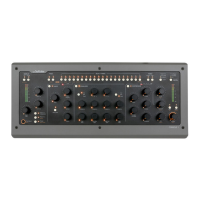
Gate
e gate part of the
Shape section has three
parameters. e Gate
setting determines the
threshold level. e gate
will open and let through
any portion of the sound
that exceeds this level,
and close (not letting
sounds through) when
the signal is below it.
Pay attention when you
set this level. If it’s set
too high, the gate will not open every time you wish
it would, meaning you will accidentally remove
sounds you intended to keep. If it’s set too low, the
gate may instead open to sounds you intended to
remove.
Gate Release
e Gate Release setting determines the time it
takes for the gate to close after it has opened. For
percussive material where you want just the hits and
not much in between, you may want a shorter re-
lease time. But for a live recorded vocal, a too short
release time may result in the gate abruptly shut-
ting o the vocal sound, and remove low level vocal
sounds you may would have liked to keep.
Shape
e Shape section is a unique combination of two
dierent types of eect, an expander/gate and
Softube’s own Transient Shaper. Toggle on and o
the section with the button in the top left corner
of the section. Turning the section on will light up
the LED next to the Shape button and light up
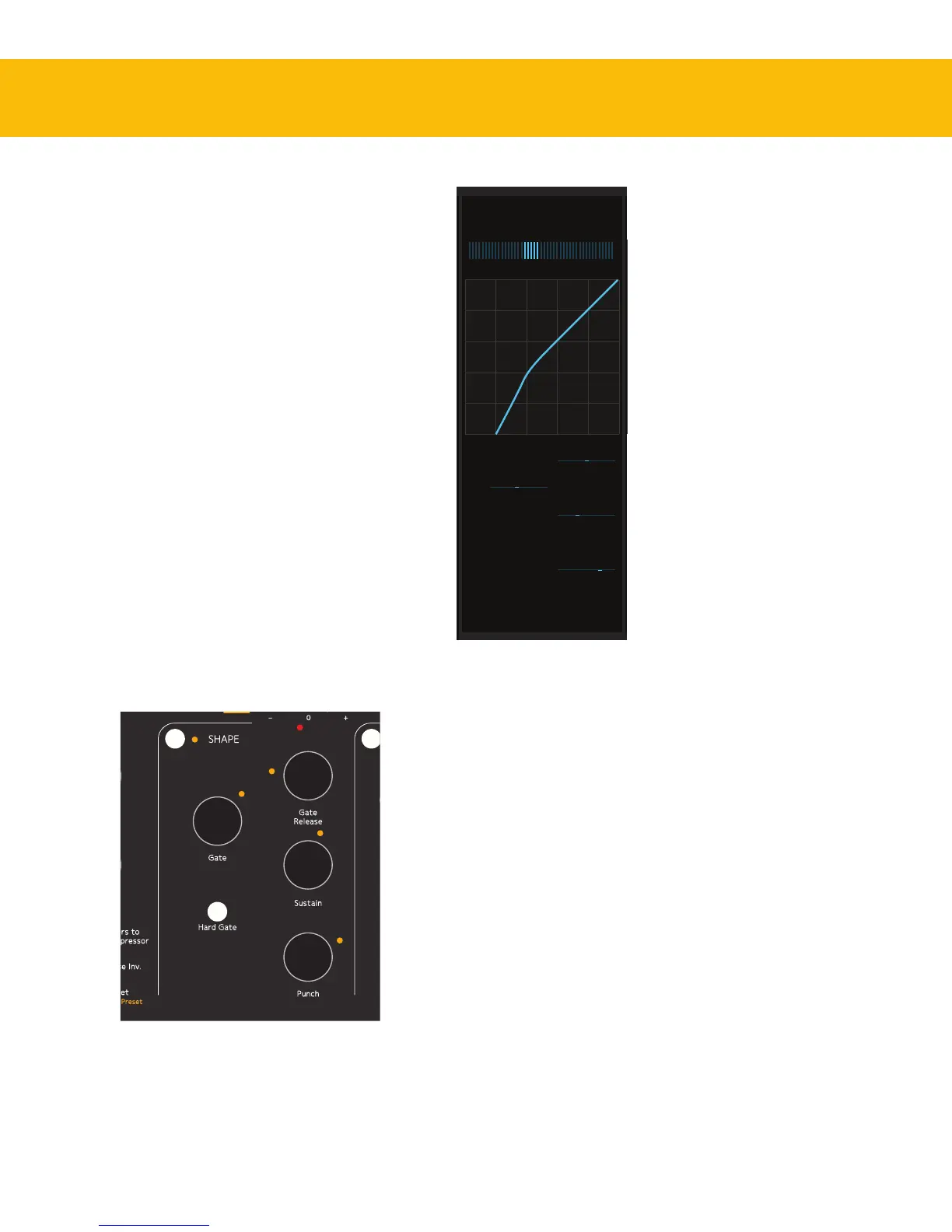
the Shape section in the On-Screen Display. e
section’s meter—both on the hardware and in the
On-Screen Display—will show the gain increase or
reduction caused by the section’s processing of the
sound, and you will also see a graphical curve in the
On-Screen Display that represents the eect taking
place.
An expander/gate is most commonly used to
automatically remove unwanted portions of the
recording. A common example is to use it on
single drum tracks, where the gate opens and lets
the sound through every time the drum is hit, but
closes and makes the channel go silent between the
drum hits, removing leakage from the rest of the
drum kit. But a gate can also be used to for example
Shape section on the Console1 hardware.


 To Next Page