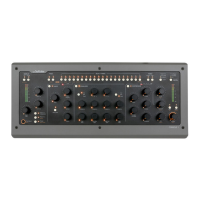
Compressor section on the
On-Screen Display.
exceeded the threshold
at its original level before
the compressor reacts and
turns down the output.
Release
e Release setting de-
termines how quickly the
compressor will return
to its normal gain after
having reduced it. A fast
release may give a more
obviously compressed
sound, while a slow
release may sound more
natural, and not be as
clearly perceived as being
compressed.
Parallel Dry/Wet
Parallel Dry/Wet lets
you blend the compressed
and uncompressed signal
with a single knob. When this is turned fully coun-
terclockwise (which is the default state), you only
hear the compressed signal. By turning it clockwise,
you gradually mix in the uncompressed sound. e
percentage expressed in the On-Screen Display
indicates the portion of uncompressed sound. One
common use of the Parallel Dry/Wet function is to
compress the sound heavily with a fast attack, and
then blend in some of the original (uncompressed)
signal. When set carefully, this may yield a nice
balance between a sound that has a nice presence in
the mix, but still sounds alive and dynamic.
Filtering the Compressor Sidechain
As mentioned in “” on page 23, you can route the
High and Low Cut lters to the compressor’s
sidechain instead of applying them directly on the
signal (by turning on Filters to Compressor). is
is useful in a number of cases. It is for example a
common trick to cut low end frequencies out of the
compressor’s sidechain signal. Low frequencies of-
ten have a lot of energy and can cause the compres-
sor to react stronger than one might nd pleasing.
Bass Drum Compressor Filtering
For example, a bass drum can cause a compressor
across the drum bus to make the cymbals ”duck”
with every bass drum hit. Applying Low Cut to the
compressor sidechain
would make the
compressor ”deaf ” to
the lower frequen-
cies of the kick drum,
and it would conse-
quently not respond as
strongly to them.
De-essing Example
You can also use both
High and Low Cut
lters across the com-
pressor sidechain to
create a tight frequen-
cy window, which will
be all the compressor
responds to. Most de-
essers work this way,
by narrowing down the frequency of the compres-
sor’s sidechain so it only detects and responds to
the s-sounds. is could also work to reduce hi-hat
bleed in a snare drum microphone. When this
setting is active, the LED next to the Filters to
Compressor button will light up, and it will also be
indicated in the On-Screen Display.


 To Next Page