15
Instruction Manual INOXA SERIES
GB
English
GB
3.
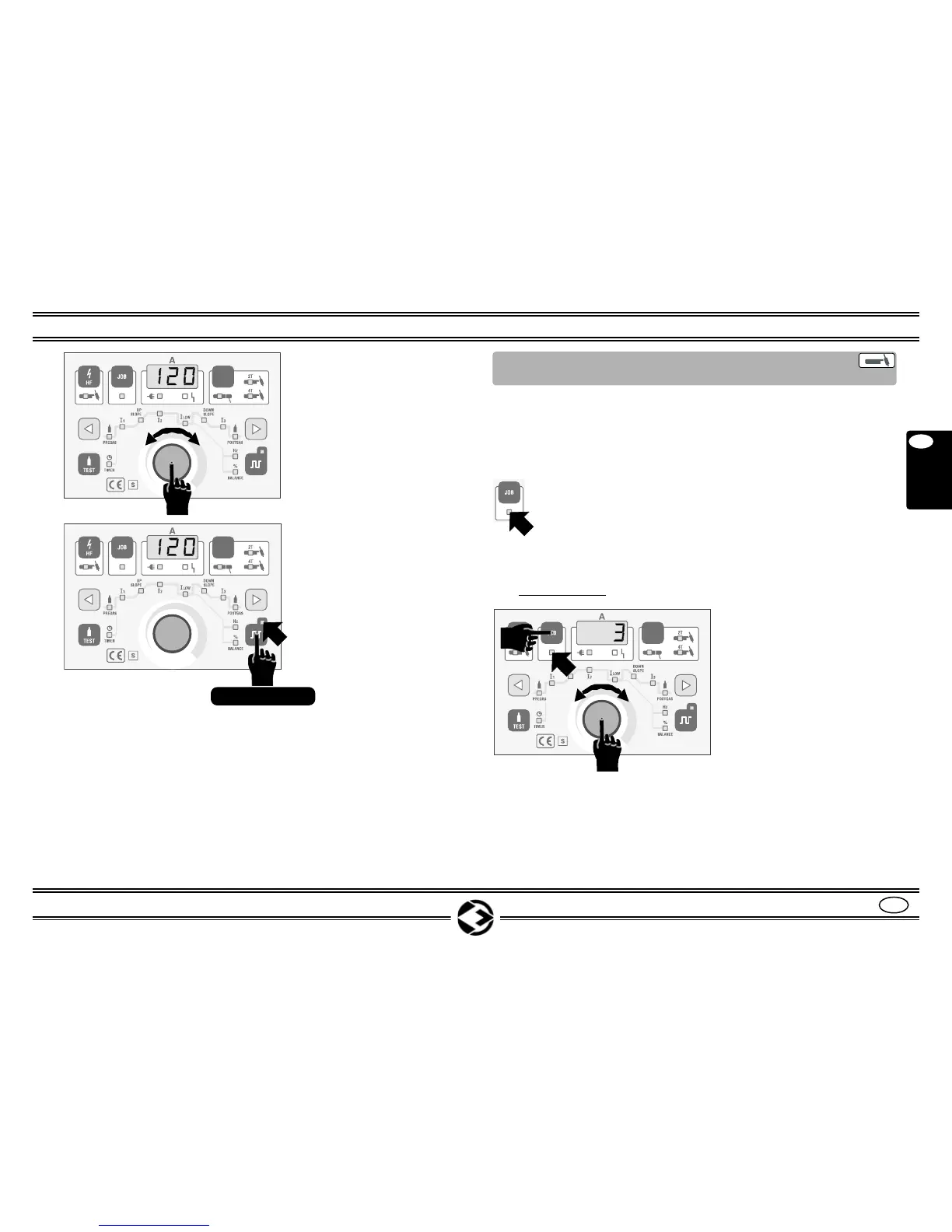
With the knob (7) do the
setting.
4. The set value will be
showed on the display.
To exit from the setting
mode and confirm the value
press the knob (7).
5. To exit the PULSATION
mode press pushbutton (12)
for about 2 sec.
The LED (12A) will turn
OFF.
HFP series
NOTE: it is possible to memorize new settings in one of the avai-
lable JOBS. See page 16.
7
HFP series
12
Push > 2 sec
12A
NOTE: numbers shown below are referring to Fig. 1-2 chapter 6
COMMANDS DESCRIPTION to Page 4-5.
The use of the jobs allows to create or to recall up to 10 welding
programs on which will be memorized the different settings.
The number of the JOBS is showed on the display and can go from
1 to 10. If the LED (9A) is OFF it means that no job has been
selected, and the machine works on the free program
(FREE).
In this program, all the variations will be automatically saved
(after at least one welding) and they will be showed again once the
machine is turned ON.
A) JOB RECALL
8.13 JOBS USES
(Only on INOXA HFP series)
1. Press pushbutton (9).
The LED (9A) will turn ON.
2. The display will indicate
the last job used.
E.g.. JOB n° 3
3. Select the job from 1 to
10 by turning the knob (7).
4. Press the knob (7) to con-
firm the choice.
The LED (9A) will stay ON.
5. To exit the job modality
press the pushbutton (9)
until the LED (9A) turns
OFF.
HFP series
9A
9
9A
7


 To Next Page