17
Workout Programs
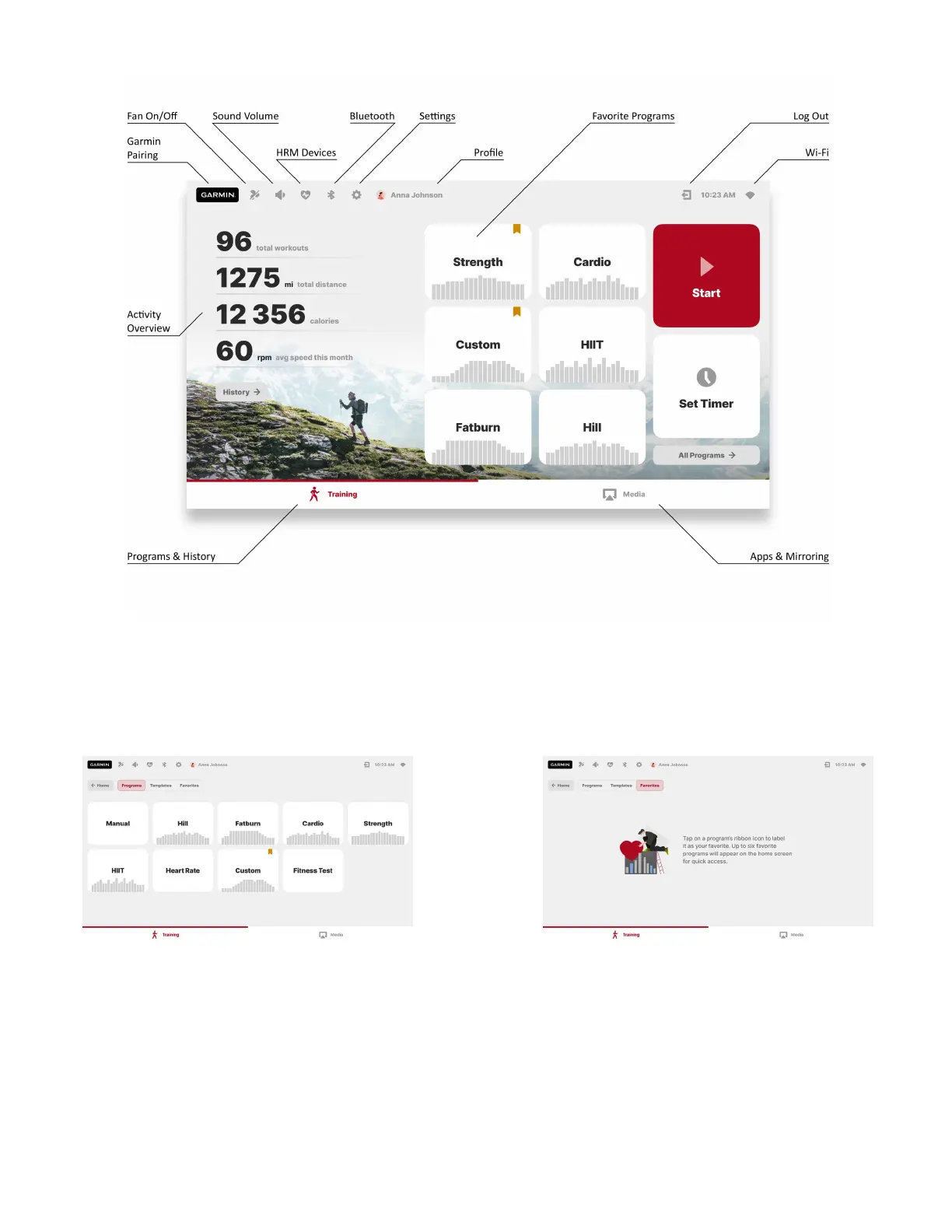
To access all available categories of programs, press “All Programs” on the Home screen. Once inside,
you can use tabs on the top of the screen to switch between All Programs, Templates and Favorites.
Tap on any of the program cards to open a Program Setup page, where you can learn more about the
program, set properties of your workout, or keep browsing by pressing the arrow buttons in the
upper top right corner of the screen. To adjust workout parameters, you can drag the ruler, tap on the
+ and – buttons, or tap on the number to open a numpad and input the value directly.


 To Next Page