20
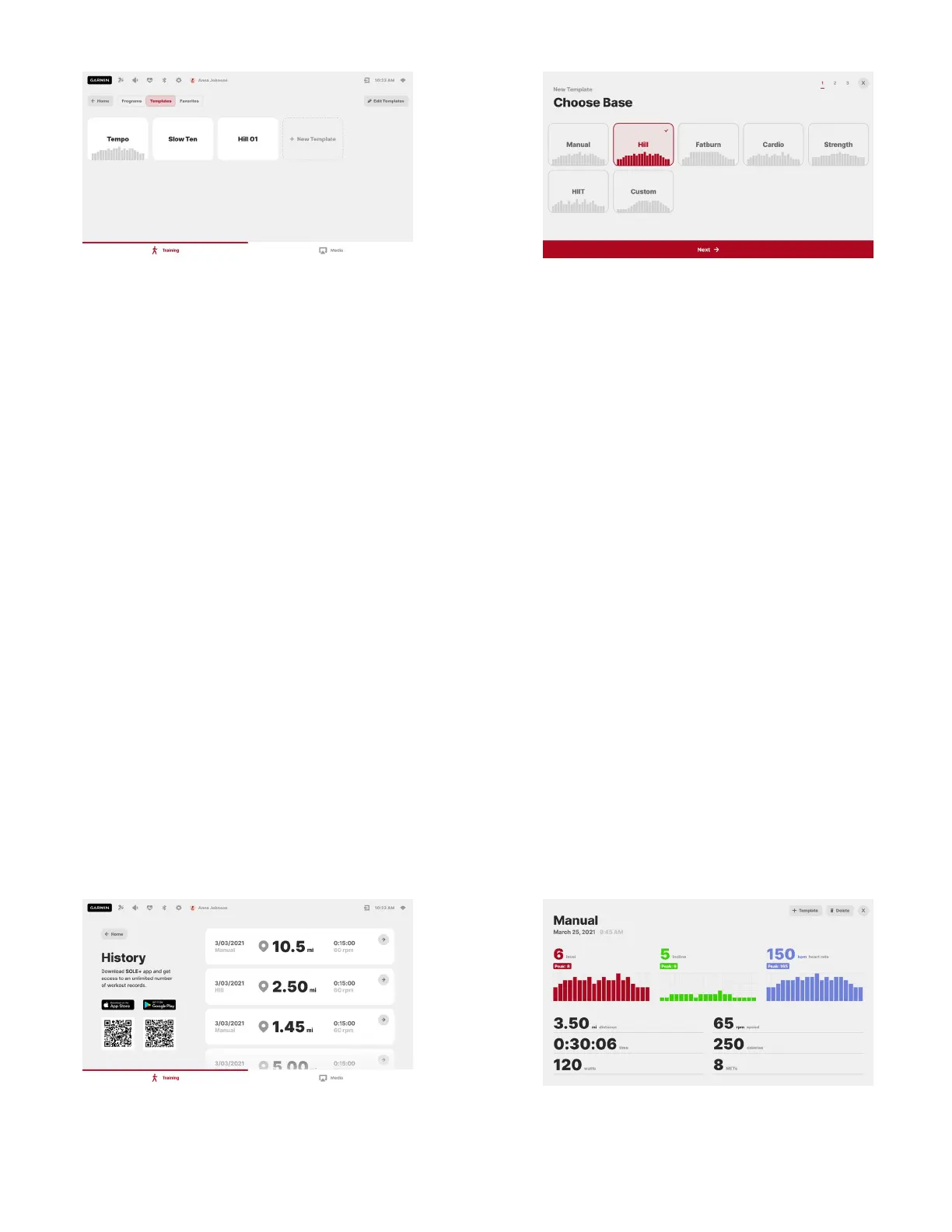
Templates are preset programs with a preserved set of parameters. Programs can be saved as
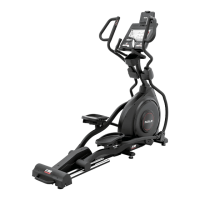
templates upon completion, or you can create one from scratch in the Templates tab: tap on the “New
Template” button, choose your base program, and then save it with adjusted properties. A maximum
of 12 template programs can be stored. To remove the unwanted templates, press “Edit Templates” in
the Templates tab.
A program can be labelled as a Favorite. Up to 6 favourite programs will appear right on the Home
screen, so you can access them more easily. To “like” a program, open the program setup page and
tap on the “ribbon” icon in the upper left corner of the screen. You can find all of the labeled
programs under the Favorites tab: to remove the label, press “Edit Favorites”, or go to the program
setup page directly and un-tap the “ribbon” icon.
Once you have decided on the program, press the “Start This Program” button on the screen, or the
physical “START” key on the machine to begin your workout.
History
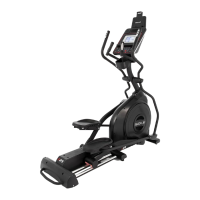
To see your latest workout records, press “History” on the main screen of the Training section. Up to
10 records can be stored locally on the console, but you can access your full workout history if you link
your profile to the SOLE+ mobile app. Tap on the record preview to see the full summary. Each user
can only see his or her workouts.


 To Next Page