14
6. IP Configuration
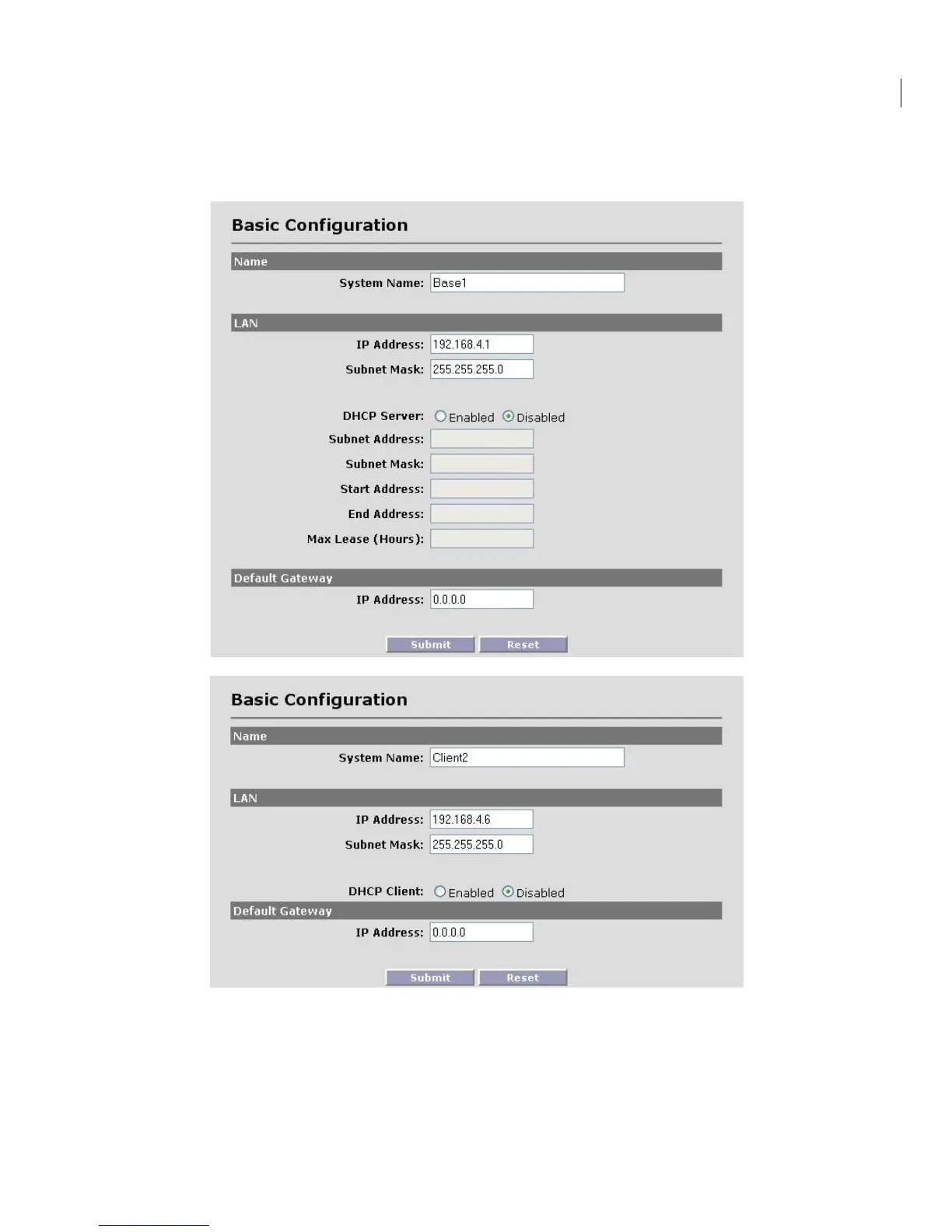
Navigate to Configuration -> Basic to access the Basic Configuration screen. The top one is for the
base station and the bottom one is for the client unit.
• System Name This is an optional description of the unit used to simplify the identification of
a particular radio in the wireless network. This parameter is not related to the identification
of the unit on your wired local area network. For security purposes, the System Name is not
broadcast across the RF link.


 To Next Page