23
On this page is a dynamic display of the RF link state and local RSSI, in both numerical and
graphical format. In addition to displaying current RSSI, the bar graph format has an auto-scale
function which tracks the minimum and maximum achieved RSSI values since power-up.
12. Verifying Operation
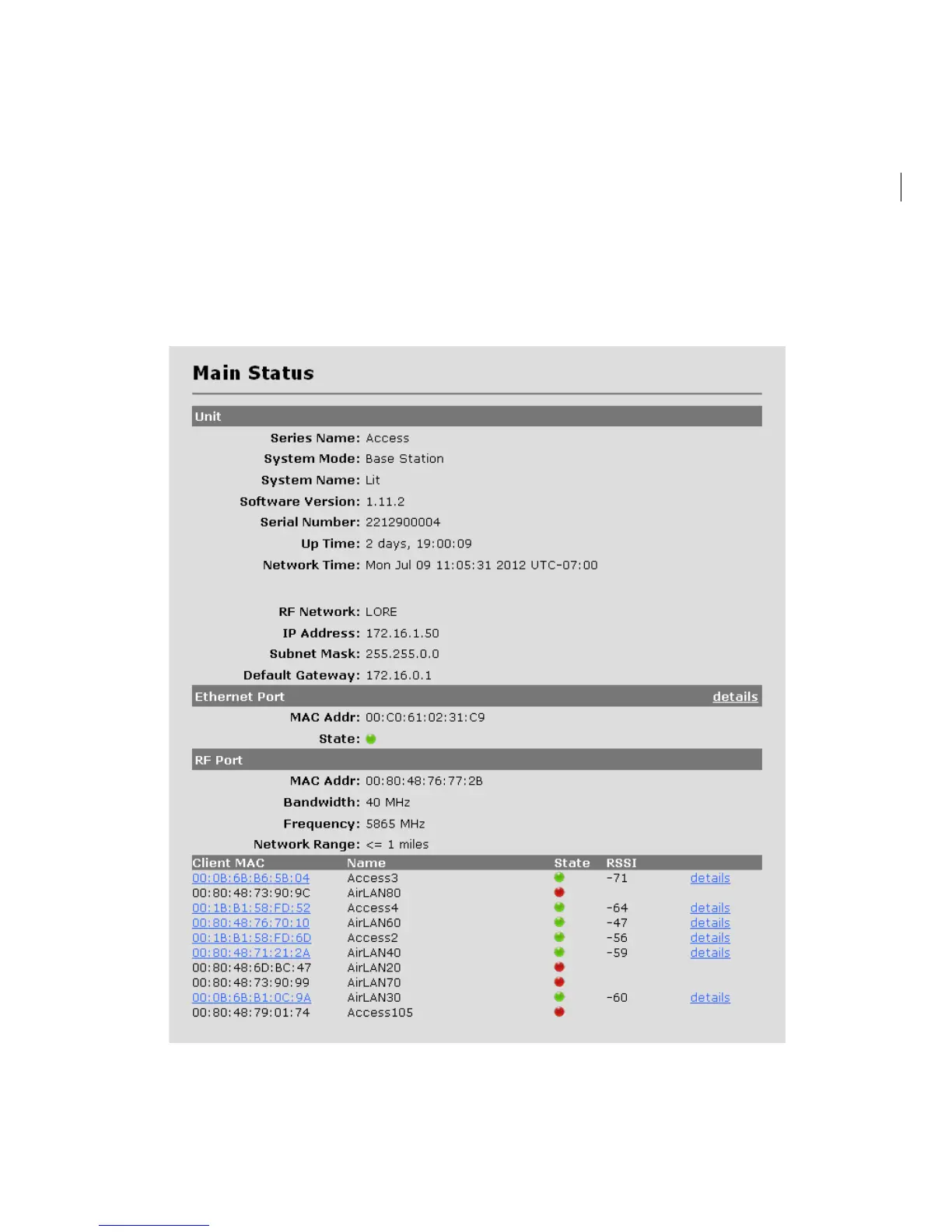
A. Main Status Screen – Base Station
The basic status of the base station can be viewed in the Main Status screen:
This screen updates periodically and thus displays current field values. Navigate to the
Configuration screen if setting changes are necessary.


 To Next Page