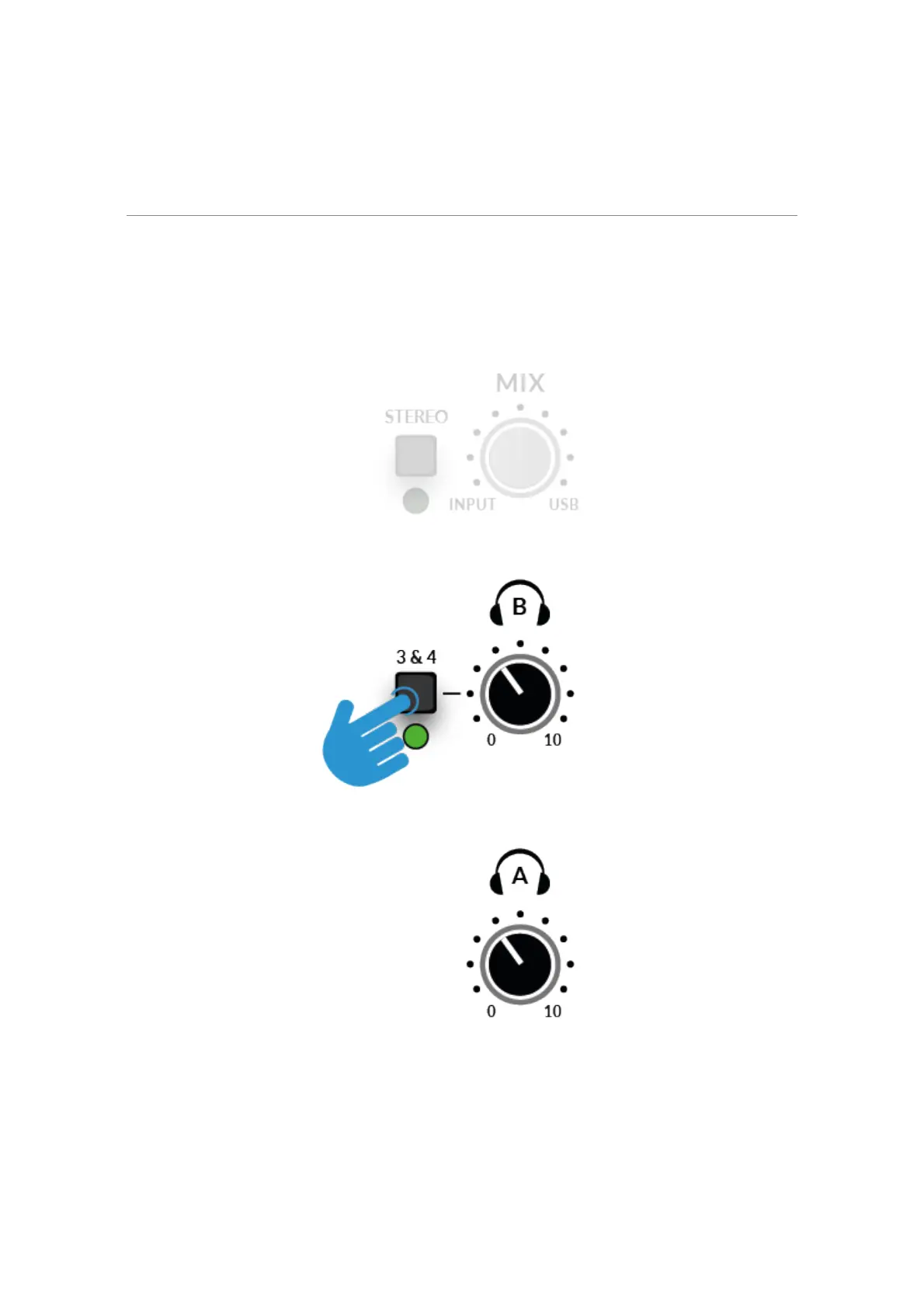
STEREO switch will allow you to monitor the
keyboard in true stereo, with CHANNEL 1 being sent to the left side and
CHANNEL 2 being sent to the right side.
Using The 3&4 Button
Engaging the 3&4 button changes the source for Headphones B from
Outputs 1&2 to DAW Outputs 3-4, allowing for the creation of an
independent mix (perhaps for the artist). You would use aux sends in the
DAW routed to outputs 3-4 to create this independent mix.!
By default, the Headphones B Output with 3&4 engaged will not respect
the MIX control e.g. Only DAW Outputs 3-4 are sent to Headphones B.
Pressing and holding 3&4 until the LED starts to flash will allow
Headphones B to respect the MIX control, allowing the artist to benefit from



 To Next Page