9
1. In a typical setup, connect Primary Port A of the Delta-Link MADI HD to the Primary Port of your HD Core card and
Primary Port B of the Delta-Link MADI HD to the Primary Port of your first HD Accel card via DigiLink cables supplied.
Technically, any Primary Port of the Delta-Link MADI HD is compatible with any Primary Port of a Pro Tools
®
HD
system, however, connecting Primary Ports A and B of the Delta-Link MADI HD to consecutively numbered Primary
Ports of the Pro Tools
®
HD system is preferable in order to maintain clarity when working in the I/O Setup page of the
Pro Tools
®
software.
2. Connect a suitable Word or Frame clock source to the WordClock input at the rear of the Delta-Link MADI HD.
(see overleaf)
3. Connect the mains cable to the mains connector of the Delta-Link MADI HD.
4. External devices may now be connected to the MADI inputs and outputs.
5. Power up the computer that hosts your Pro Tools
®
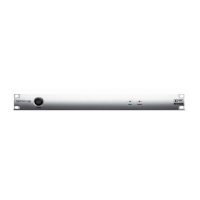
system, and power up the Delta-Link MADI HD (using the power
switch on the front panel).
WARNING!
Do not connect or disconnect the Delta-Link MADI HD to/from the Pro Tools
®
cards or power cycle the unit
while the Pro Tools
®
software is running. Doing so will loose all interface settings, recovery from which will
require each option to be toggled on the Pro Tools I/O set up page – refer to Section 6.


 To Next Page