EasyManua.ls Logo

soloprotect ID - Key Indicators

soloprotect ID
31 pages
Print Icon
To Next Page IconTo Next Page
To Previous Page IconTo Previous Page
Loading...
DISTRIBUTION: INTERNAL + SOLOPROTECT CUSTOMERS
SoloProtect ID US: User Guide
US SoloProtect ID User Guide v2.0 d1909189
© SoloProtect Ltd, 2018 Page 23 of 31
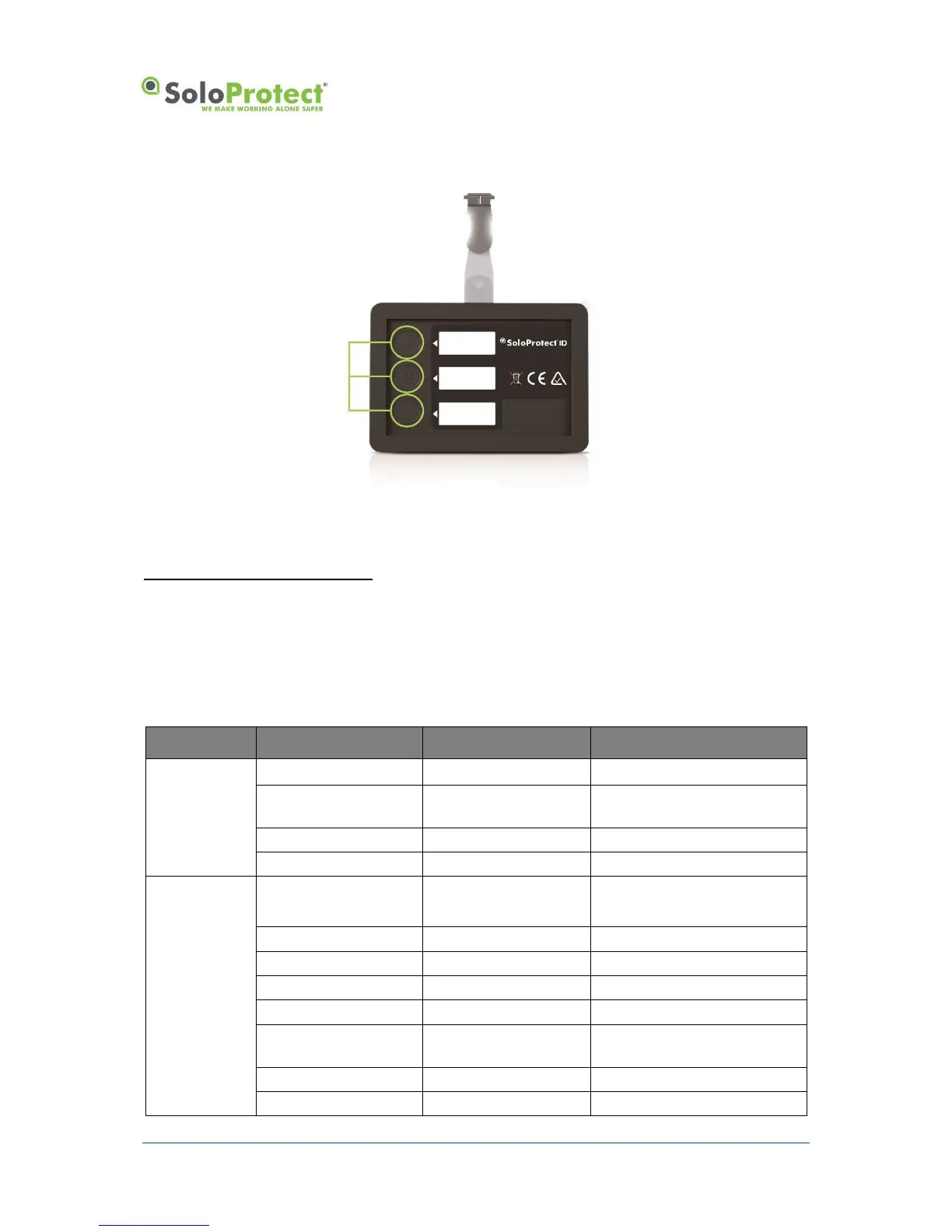
Figure 15: Ready2Talk (US and Canada only) Multi-Function Buttons
*Check with your Employer or your SoloProtect Account Manger as to whether you have this function enabled.
Only available in the US and Canada.
4.3 SoloProtect ID Key Indicators
4.3.1 LCD and LED Table
The following table summarises the indications given by your SoloProtect ID, both by the LCD/LEDs.

Device state
Symbol
LED
Meaning
On charge
1 battery cell (flash)
Red (flash)
Trickle charging
2 or 3 battery cells (1 cell
flashing)
Amber (flash)
Charging
3 battery cells
Green
Charging complete
Battery Outer Only
Purple
Charging Fault Occurred
Device checking
Battery (flash)
Signal (flash)
Red (flash)
Indicates start of status display
3 battery cells
Green
Battery condition good (>75%)
2 battery cells
Amber
Battery condition normal (<75%)
1 battery cell
Amber
Battery condition low (<35%)
1 battery cell (Flash)
Red
Battery condition poor (<1 hour)
0 battery cells (Flash)
Red (Flash)
Battery condition critical (<15
mins)
4 signal bars
Green
Signal quality strong
3 signal bars
Amber
Signal quality good

Table of Contents

Other manuals for soloprotect ID