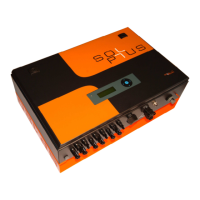
Large External Display
SP25-55_User Manual_B8_EN_2012-11-06 32/32
Example for parameter 259:
You want fault 7 = "UDC too low" to be entered in the fault memory nevertheless. Bit 3 of the
parameter must be set; this corresponds to the value 8. So set parameter 259 to the value 8.
Parameter 271: Display Parameter
Menu: Device configuration
Unit: ---
Resolution: 1
Default setting: 0
Password level: 1
If you set parameter 271 to a value that is not 0, the parameter with this parameter number will be
constantly displayed on the third line in the basic (start) screen of the display.
Example: You want to see the value of parameter 8 = Energy today displayed constantly on the
display without having to press a button. To do this, set parameter 271 to the value 8.
21 Large External Display
A large external display can be connected directly to the inverter by means of the optional second
RS485 port or the optional radio module.
If you would like more information on this, please contact Solutronic directly.
22 Analogue or GSM Modem
Solutronic inverters can be equipped with analogue or GSM modems for monitoring purposes.
Option cards are available for both possibilities (analogue or GSM), which you can order from us
through your dealer.
We strongly recommend you use the internal option cards, although a standard external analogue
modem can also be connected. The internal option cards have a far lower power consumption than
external solutions. What's more, they also mean there is no extra wiring or installation work necessary,
at least if you order the option card together with the inverter.
Detailed documentation on connecting and parameterising the modem solutions can be found on the
CD supplied or can be downloaded from www.solutronic.de.
Solutronic AG
Küferstrasse 18
D-73257 Köngen
Tel.: 07024/96128-0
Fax: 07024/96128-50
info@solutronic.de
www.solutronic.de


 To Previous Page