Solwise Ltd., www.solwise.co.uk, sales@solwise.co.uk
- 4 -
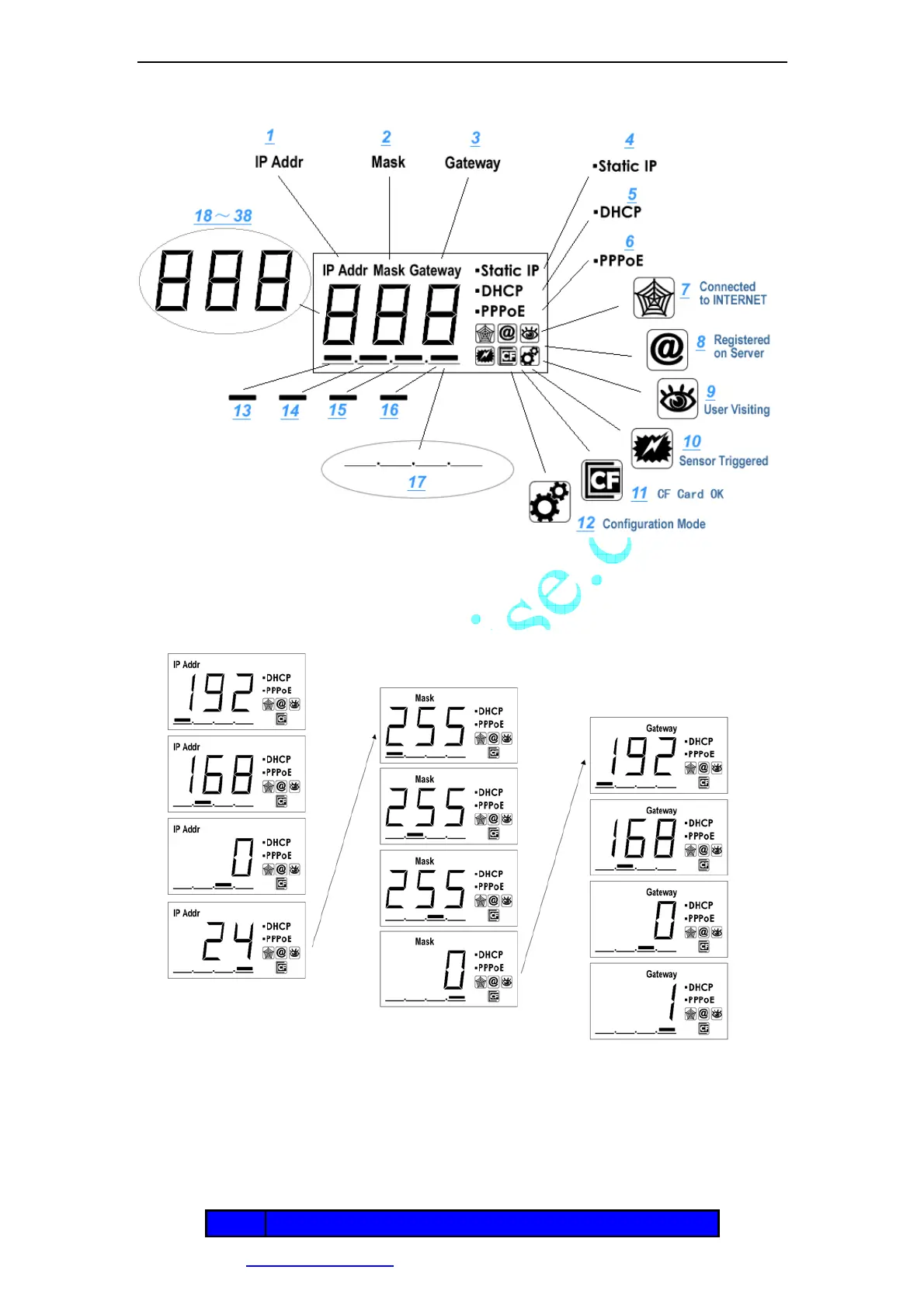
Figure 5 LCD Indications
LCD will loop show IP Address/Network Mask/Gateway, as shown in the Figure 6.
Figure 6 IP Address/Network Mask/Gateway loop show
Status icon indications list:
Icon Meaning
IP Address=192.168.0.24 Subnet mask=255.255.255.0 Gateway IP=192.168.0.1



 To Next Page