Type 8221, 8212, 8142 & 8091 HPT
Type 8182 HPT Modems
HPT Variants
UM-8142
Issue B Rev 1
Section 9 – Firmware Update 55
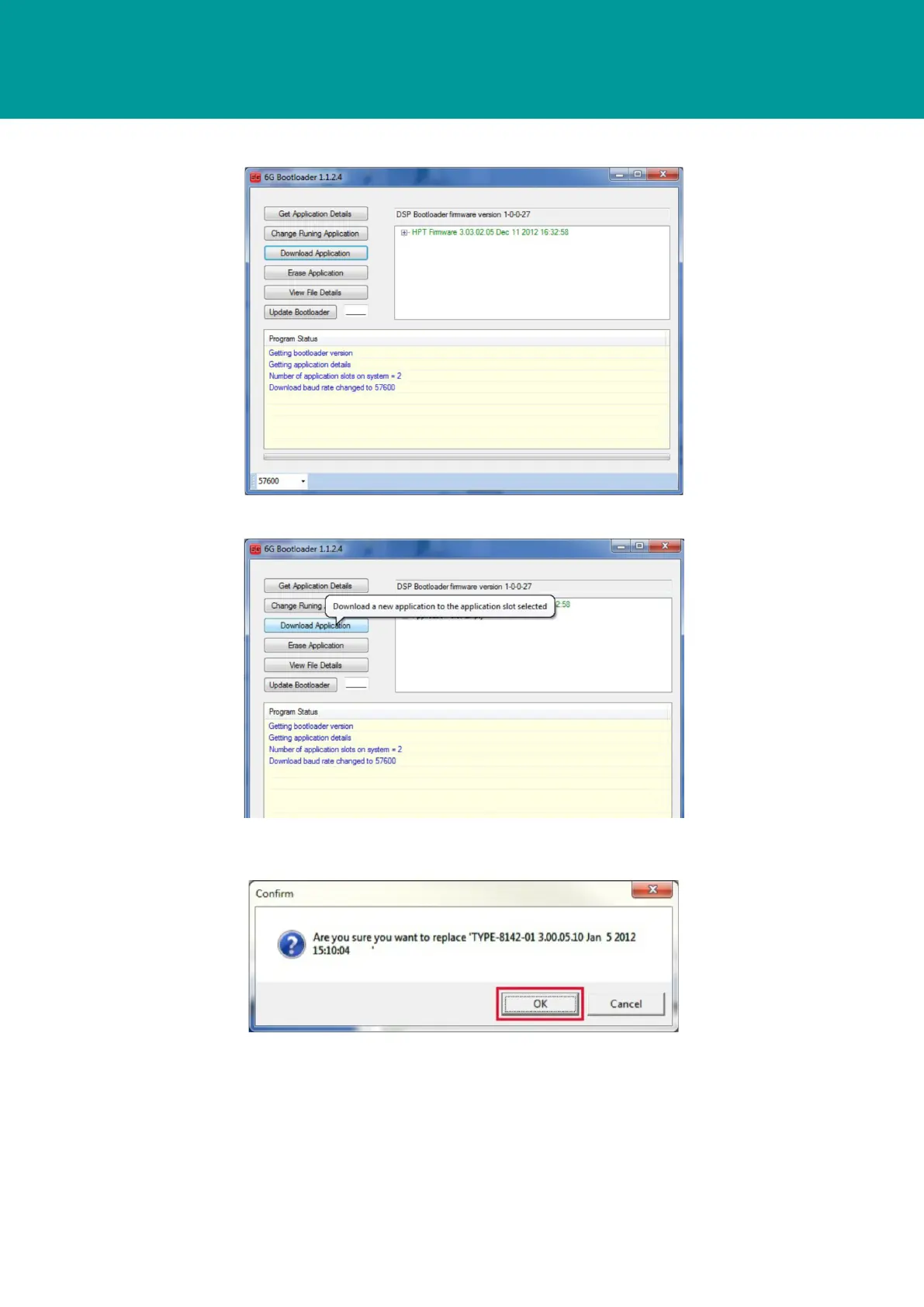
2. The 6G Bootloader window displays the current firmware installed in the USBL transceiver.
3. Click Download Application.
4. A warning dialog box will appear to confirm that the firmware will be replaced; to proceed,
click OK.



 To Next Page