Type 8221, 8212, 8142 & 8091 HPT
Type 8182 HPT Modems
HPT Variants
UM-8142
Issue B Rev 1
Section 9 – Firmware Update 56
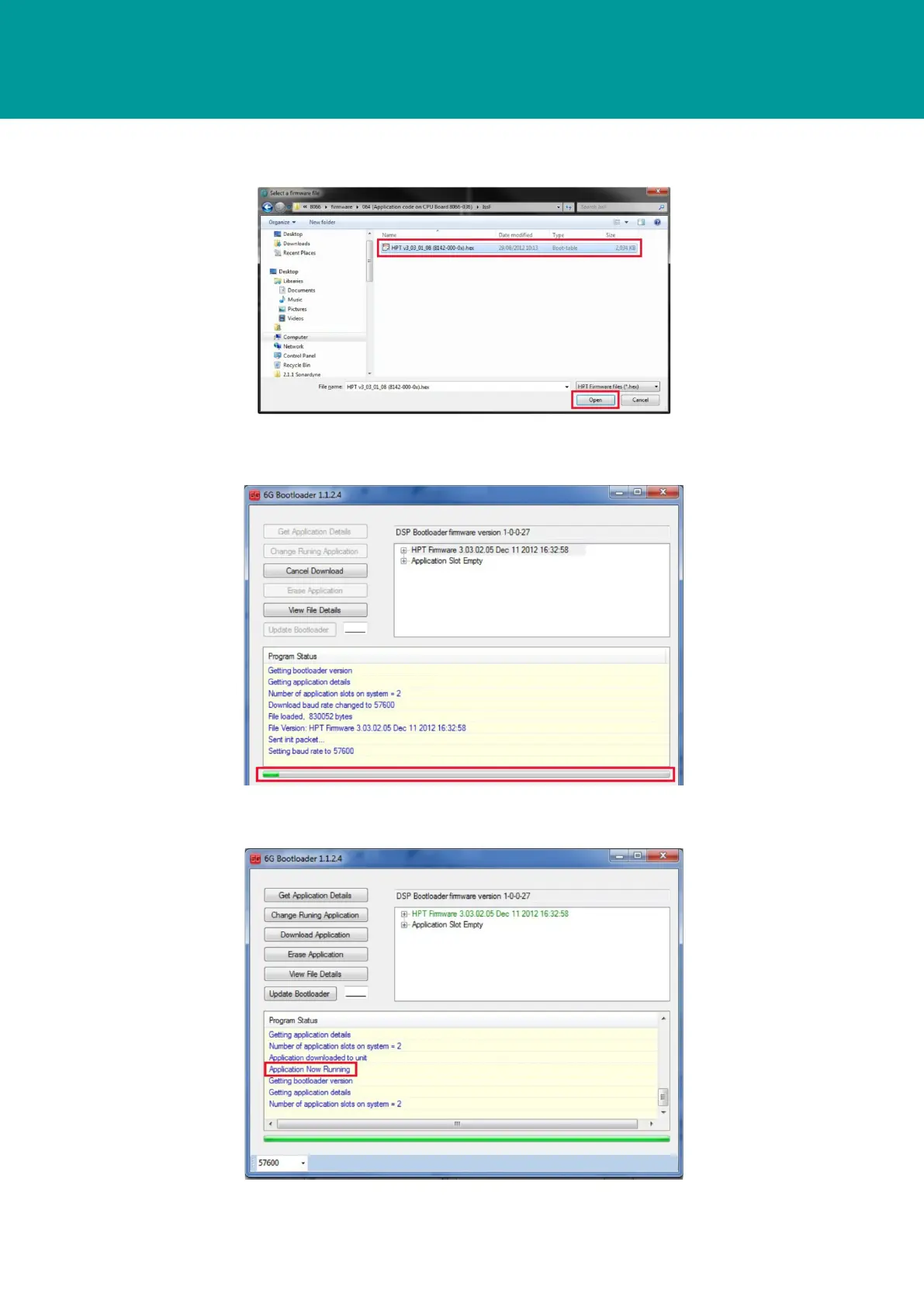
5. On the Select a firmware file dialog box, navigate to and select the new firmware file and
then click Open.
6. The Select a firmware file dialog box will close.
7. The 6G Bootloader dialog box displays the progress of the firmware installation.
8. The firmware installation will be complete when the progress bar is completely green and
Application Now Running appears in the Progress Status list.



 To Next Page