6
Chapter 3 – Card Installation Steps and Setup Completion Information
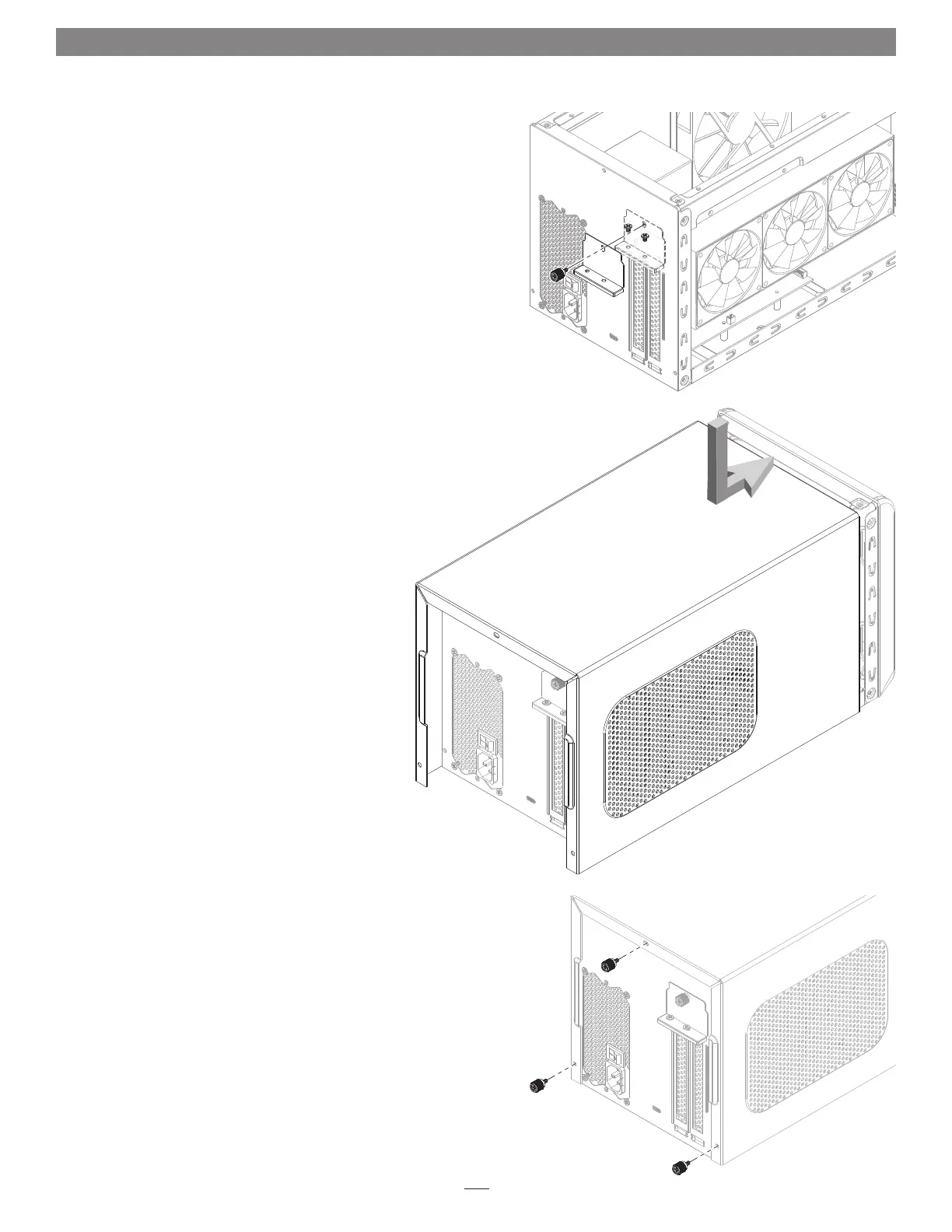
11. Secure the card using the previously-removed PCIe card bracket locking
plate, screws, and thumbscrew (Figure 6).
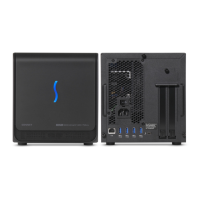
12. Pulling its sides apart slightly, lower the top cover over the inner
assembly’s top brackets as shown, and then push the sides toward each
other so that the guides on the cover and assembly engage each other
(Figure 7).
13. Slide the top cover all the way forward until it stops (Figure 7).
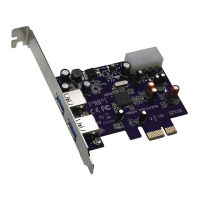
14. Secure the top cover to the inner assembly with the three thumbscrews
you removed previously (Figure 8).
15. Connect the included power cord between a wall outlet or power strip
and the box’s power socket, and then flip the power switch to the on
position. Note that the power indicator on the box will not light until
the computer is powered on, but LEDs inside the box (visible through
the grills) will light whenever the box is powered.
eGPU Setup Completion Information
If you installed a GPU card, you must download additional instructions
on how to enable the eGFX Breakaway Box plus the installed GPU card to
work with your system, please visit the eGFX Breakaway Box support page
at www.sonnettech.com/support/kb/kb.php?cat=524, click the Manual
tab, and then locate and download the latest OS-specific instructions..
Figure 7
Figure 8
Figure 6




 To Next Page