EasyManua.ls Logo

Sonoro SO-220 - User Manual

Sonoro SO-220
196 pages
Go to English
Print Icon
To Next Page IconTo Next Page
Loading...
Bedienungsanleitung
Operating manual
Mode d'emploi
Bedieningshandleiding
Manuale operativo
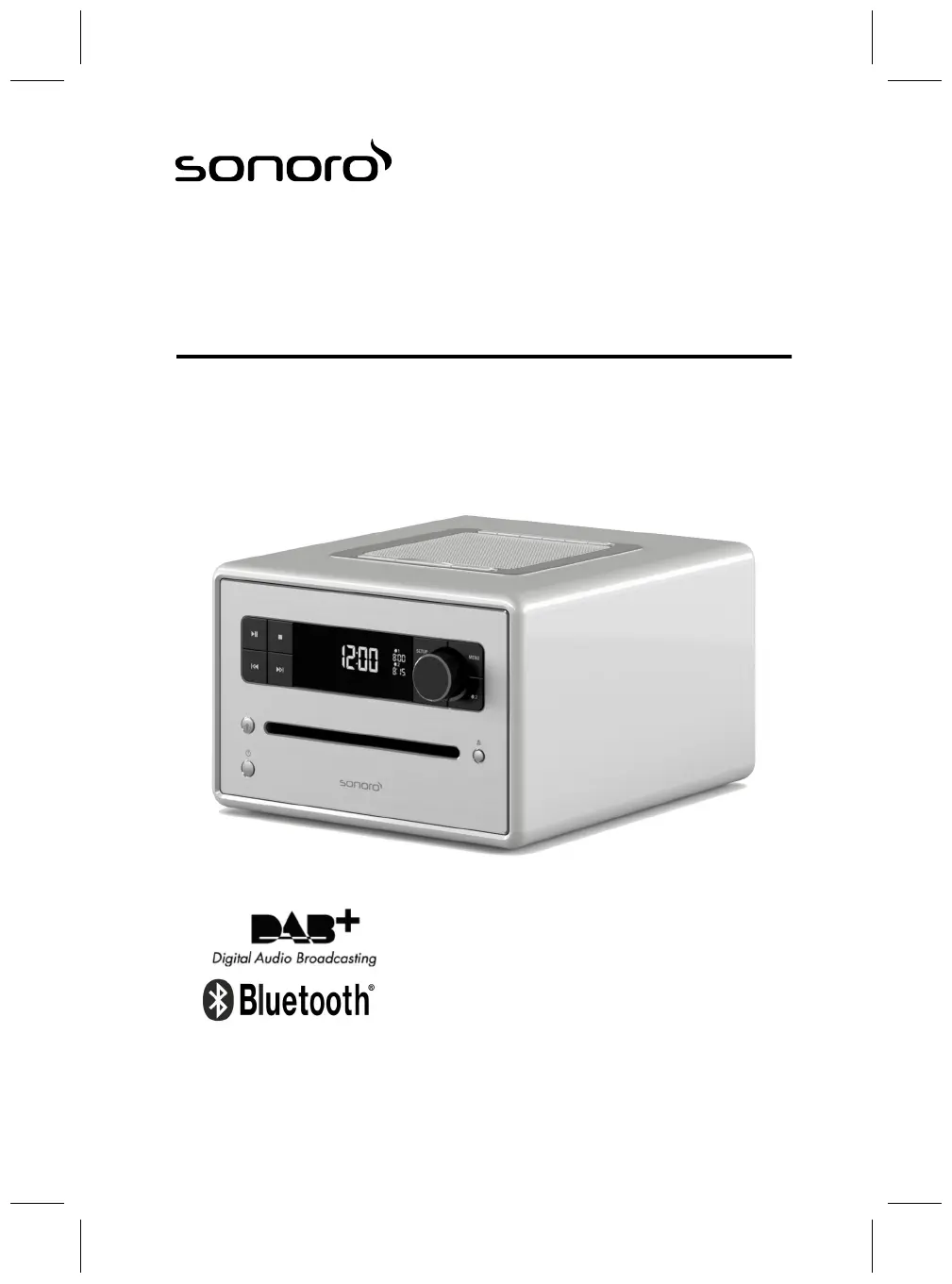
sonoroCD 2 (SO-220)
CD-Digitalradio

Table of Contents

Questions and Answers

Summary

1 Introduction

2 For your own safety

2.1 Symbols in this manual

Highlights safety instructions and important information for user safety.

2.2 Intended use

Details the device's personal and non-commercial intended purposes.

2.3 Children and persons with limited cognitive abilities

Safety instructions for children and users with limited cognitive abilities.

2.4 Power supply

Safety instructions regarding the device's electrical power connection and usage.

2.5 Batteries

Safety precautions for handling and disposing of batteries.

2.6 Laser

Safety guidelines related to the device's laser classification and operation.

2.7 Transport

Recommendations for safely transporting the device and its contents.

2.8 Ambient conditions

Guidelines for safe operation based on environmental conditions.

2.9 Operation

General guidelines for operating the device safely and correctly.

2.10 Headphone use

Specific safety advice for using headphones with the device.

2.11 Defects

Instructions on what to do if the device exhibits defects.

2.12 Cleaning

Proper methods for cleaning the device to prevent damage.

3 Scope of delivery

3.1 sonoroCD 2

Lists the main components included with the sonoroCD 2 device.

3.2 sonoroLIGHT (available as an option)

Details the optional sonoroLIGHT accessory.

4 Compatible formats

Compatible CD formats

Specifies the types of CDs compatible with the device.

Compatible audio formats

Lists the audio file formats (MP3, WMA) supported by the device.

5 Controls and ports

Front view

Identifies and describes the controls and ports on the front of the device.

Top view

Identifies and describes the controls and ports on the top of the device.

Rear view

Identifies and describes the ports on the rear of the device.

Remote control

Details the buttons and functions of the remote control.

6 Display

7 Unpacking the device and commencing operation

7.1 Unpacking the device

Instructions for safely unpacking the device and checking its contents.

7.2 Inserting the battery

Guidance on how to correctly insert the battery for clock backup.

7.3 Connecting the power supply

Steps for connecting the AC adapter and power supply correctly.

7.4 Connecting the antenna

Instructions on connecting the FM/DAB cable or rod antenna.

7.5 Preparing the remote control

Steps for preparing the remote control, including battery insertion.

7.6 Connecting sonoroLIGHT

Steps for connecting and pairing the sonoroLIGHT accessory.

7.7 Connecting the headphones

Instructions for connecting headphones to the device.

8 Setting the basic functions

8.1 Switching on the device for the first time

Initial setup procedure when turning on the device for the first time.

8.2 Standby mode

Overview of adjustable settings available in standby mode.

8.3 Making the basic settings

Configures essential device settings including time, date, language, and system resets.

Setting the date format

Allows selection of the date display format (current day, month, year).

Setting display dimmer

Adjusts the display brightness level based on ambient light conditions.

Setting alarm light

Configures the gradual brightening light feature for waking up (with sonoroLIGHT).

Setting the automatic time;date update function

Enables automatic synchronization of time and date from FM/DAB radio.

Setting the display language

Selects the display and menu language from available options.

Switching Demo Sound on;off

Enables or disables the demonstration sound feature.

Resetting the device to the factory settings

Restores all settings to their original factory defaults.

8.4 Setting the sound

Adjusts the audio playback's sound by modifying bass and treble levels.

8.5 Setting the Sleep Timer

Configures the automatic power-off timer for the device.

8.6 Switching the light on and off

Controls the connected lamp's on/off state (with sonoroLIGHT).

9 Alarm function

9.1 Setting the alarm time

Sets the desired time for the alarm to activate.

9.2 Setting the alarm source

Selects the audio source (FM, DAB, CD, Ringtone) for the alarm.

9.3 Setting the alarm volume

Adjusts the volume level for the alarm playback.

9.4 Setting the alarm repetition

Configures how often the alarm should repeat (Once, Daily, Weekdays).

9.5 Programming the alarm light (sunrise)

Sets up the alarm light feature to gradually brighten before the alarm.

9.6 Switching the alarm clock on;off

Enables or disables the alarm clock functionality.

9.7 Switching off the alarm clock after the alarm sounds

Options to stop the alarm or activate snooze when the alarm sounds.

9.8 Setting the Snooze function

Configures the duration of the snooze interval.

10 General audio playback functions

10.1 Setting the volume

Adjusts the overall playback volume of the device.

10.2 Muting the audio playback

Turns the audio playback sound on or off without changing volume.

10.3 Selecting a playback mode

Chooses the audio source or playback mode (CD, USB, AUX, etc.).

11 Radio playback

11.1 FM radio

Guides for tuning into stations, storing favourites, and retrieving saved FM stations.

11.2 DAB radio

Guides for tuning into stations, managing lists, and retrieving DAB information.

12 CD playback

Adjusting CD playback

Configures CD playback options like repeat, shuffle, and resume.

13 Bluetooth playback

13.1 Connecting Bluetooth devices

Steps to connect mobile phones and other devices via Bluetooth.

13.2 Connecting Bluetooth devices

Details automatic connection for previously paired Bluetooth devices.

13.3 Playing music via Bluetooth

Instructions on how to play audio from a connected Bluetooth device.

14 AUX playback

15 USB playback

16 Relaxation and meditation music

17 Demo Sound playback

18 Troubleshooting

19 Cleaning

20 Technical data

21 Disposal

22 Declaration of Conformity

23 Warranty

Sonoro SO-220 Specifications

General IconGeneral
BrandSonoro
ModelSO-220
CategoryRadio
LanguageEnglish

Related product manuals