To set the alarm light
Ä
‘Setting alarm light’
on page 61.
Example
Settings made:
n Alarm time: 07:00 a.m.
n Brightness: 15
n Timeframe: 30 min
At 06:30 a.m., the alarm light is switched on and the
brightness is increased gradually from level 0 to level
15 by 07:00 a.m.
9.6 Switching the alarm clock on/off
Switching on the alarm clock
1. To switch on the alarm clock, briefly press the
[Alarm 1] or the [Alarm 2] button on the front of
the device or the remote control.
Switching off the alarm clock
2. To switch off the alarm clock, briefly press the
[Alarm 1] or [Alarm 2] button again.
9.7 Switching off the alarm clock after the
alarm sounds
1. To switch off the alarm, press one of the fol-
lowing buttons:
n [Alarm 1]
n [Alarm 2]
n Click wheel
n [Standby]
ð
The alarm will remain activated for the next
day. This does not apply if the non-recurring
alarm setting is in use. The alarm light
remains on and retains its current bright-
ness.
i
After 60 min, the alarm is switched off
automatically.
2. Press the [Light] button to switch the alarm light
off.
3. To switch the alarm clock off and have it come
back on after a set period of time (Snooze),
press the [SNOOZE] button on the remote con-
trol.
i
Alternatively, you can turn the click wheel
when the alarm sounds to set the snooze
time. Press the click wheel to confirm.
ð
The remaining snooze time is displayed.
After the set time expires, the alarm will
sound again.
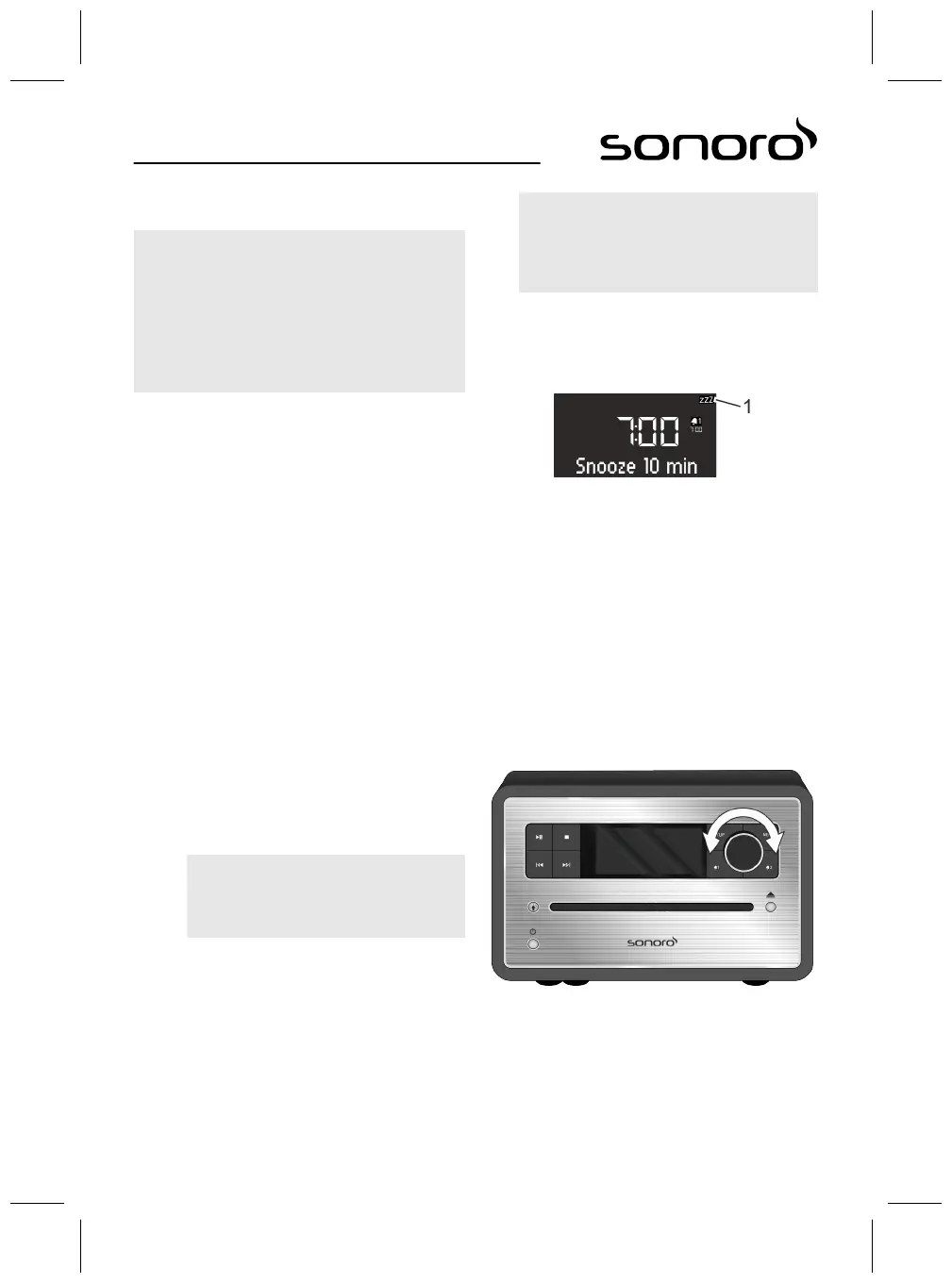
9.8 Setting the Snooze function
Fig. 33: Setting the snooze function
1. Briefly press the [SNOOZE] button on the
remote control in Standby mode. If the device is
switched on, press and hold the [SNOOZE]
button on the remote control until the Snooze
sub-menu appears (Fig. 33).
ð
The display shows the [Snooze] symbol
(Fig. 33/1).
2. Turn the click wheel to set the duration.
3. Press the click wheel to confirm the entry.
10 General audio playback functions
10.1 Setting the volume
Fig. 34: Setting the volume
1. Turn the click wheel (Fig. 34) to increase or
decrease the volume.
ð
The display shows a volume control.
65



 To Next Page