Help Guide
Interchangeable Lens Digital Camera
ILCE-7RM3A α7RIII
Angle of view
The angle of view switches to the equivalent of full frame or APS-C/Super 35mm, depending on the setting for [APS-
C/Super 35mm] and the attached lens. The angle of view is also different for still image shooting and movie shooting.
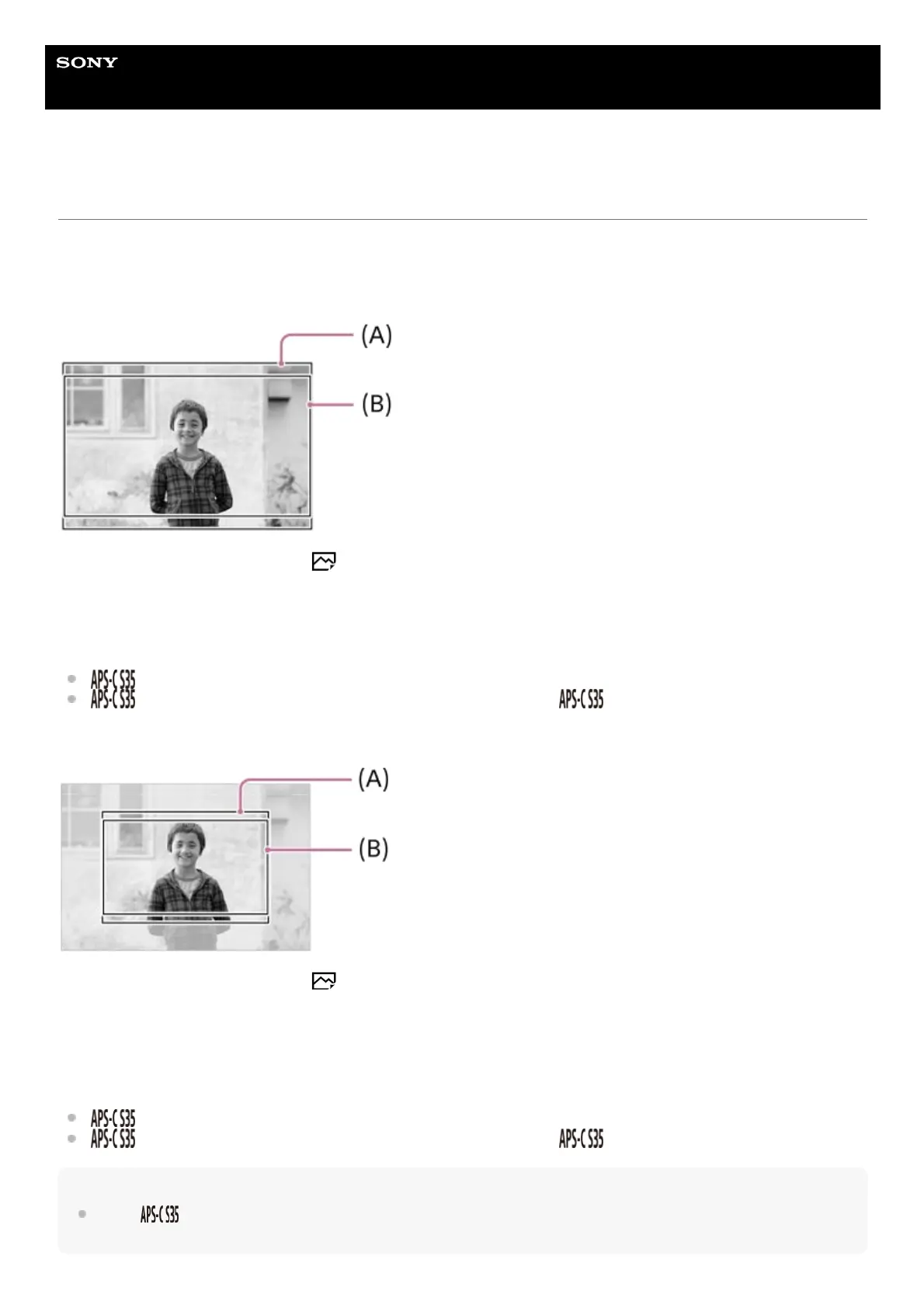
Angle of view equivalent to full frame
(A) When shooting still images (with [ Aspect Ratio] set to [3:2])
(B) When recording movies
The camera shoots with an angle of view equivalent to full frame in the following situations.
[
Shooting] under [APS-C/Super 35mm] is set to [Auto], and a full frame shooting-compatible lens is attached.
[
Shooting] under [APS-C/Super 35mm] is set to [Manual], and [ Shoot.: Manual] is set to [Off].
Angle of view equivalent to APS-C size/Super 35mm
(A) When shooting still images (with [ Aspect Ratio] set to [3:2])
(B) When recording movies
The camera shoots with an angle of view equivalent to APS-C size or Super 35mm in the following situations. The angle
of view becomes approx. 1.5 times the focal length indicated on the lens.
[
Shooting] under [APS-C/Super 35mm] is set to [Auto], and an APS-C-format dedicated lens is attached.
[
Shooting] under [APS-C/Super 35mm] is set to [Manual], and [ Shoot.: Manual] is set to [On].
Note
When [
Shooting] under [APS-C/Super 35mm] is set to [Auto] during XAVC S 4K movie recording, the angle of view is
equivalent to approx. 1.5 times the focal length indicated on the lens, regardless of the lens type.


 To Next Page