Help Guide
Interchangeable Lens Digital Camera
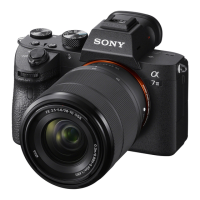
ILCE-7RM3A α7RIII
HDMI Settings: REC Control (movie)
If you connect the camera to an external recorder/player, you can remotely command the recorder/player to start/stop
recording using the camera.
Menu item details
On:
The camera can send a recording command to an external recorder/player.
The camera is sending a recording command to an external recorder/player.
Off:
The camera is not able to send a command to an external recorder/player to start/stop recording.
Note
Available for external recorders/players compatible with [
REC Control].
When you use the [
REC Control] function, set the shooting mode to (Movie).
When [
TC Output] is set to [Off], you cannot use the [ REC Control] function.
Even when
is displayed, the external recorder/player may not work properly depending on the settings or status of the
recorder/player. Check if the external recorder/player works properly before use.
5-026-816-11(1) Copyright 2021 Sony Corporation
MENU →
(Setup) → [HDMI Settings] → [ REC Control] → desired setting.
1


 To Next Page