Help Guide
Interchangeable Lens Digital Camera
ILCE-7RM3A α7RIII
Inserting/removing the battery pack
To charge the battery pack while it is inserted into the camera
Turn the camera off, and then connect the camera to a computer, etc. using a USB cable.
If the camera is turned on, you will be able to use the camera with power supplied from the computer, etc., but the
battery pack will not charge.
Use the supplied USB Type-C cable or a cable that is compliant with the USB specification.
To remove the battery pack
Make sure that the access lamp is not lit, and turn off the camera. Then, slide the lock lever (A) and remove the battery
pack. Be careful not to drop the battery pack.
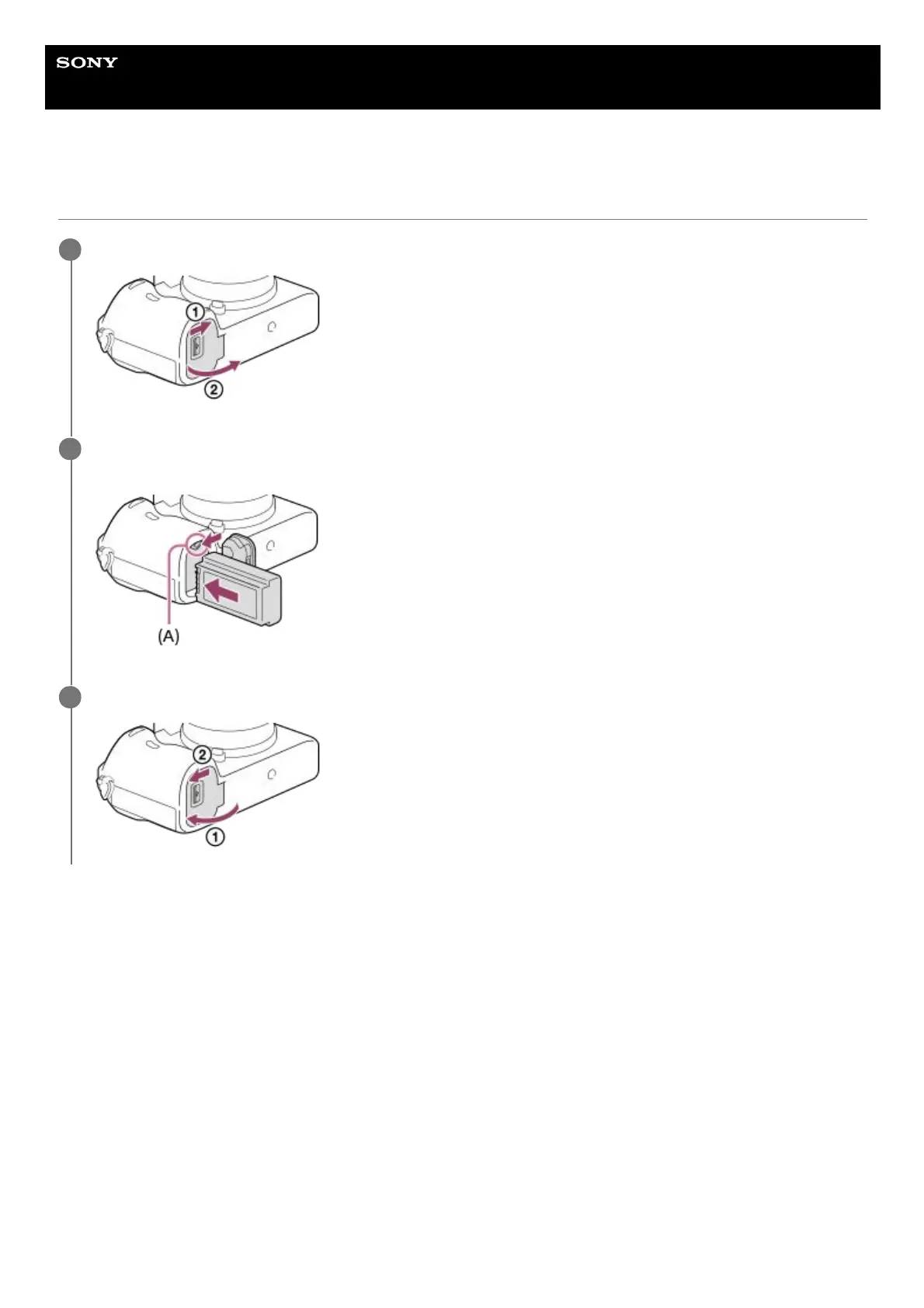
Open the battery cover.
1
Insert the battery pack while pressing the lock lever (A) with the tip of the battery until the battery locks into
place.
2
Close the cover.
3


 To Next Page