Point the remote control at the remote control sensor located at the front of the TV.
Keep the remote control sensor area clear from obstacles.
Fluorescent light can interfere with remote control operation; try turning off any fluorescent
light.
Check that the orientation of each battery matches the positive (+) and negative (-)
symbols in the battery compartment.
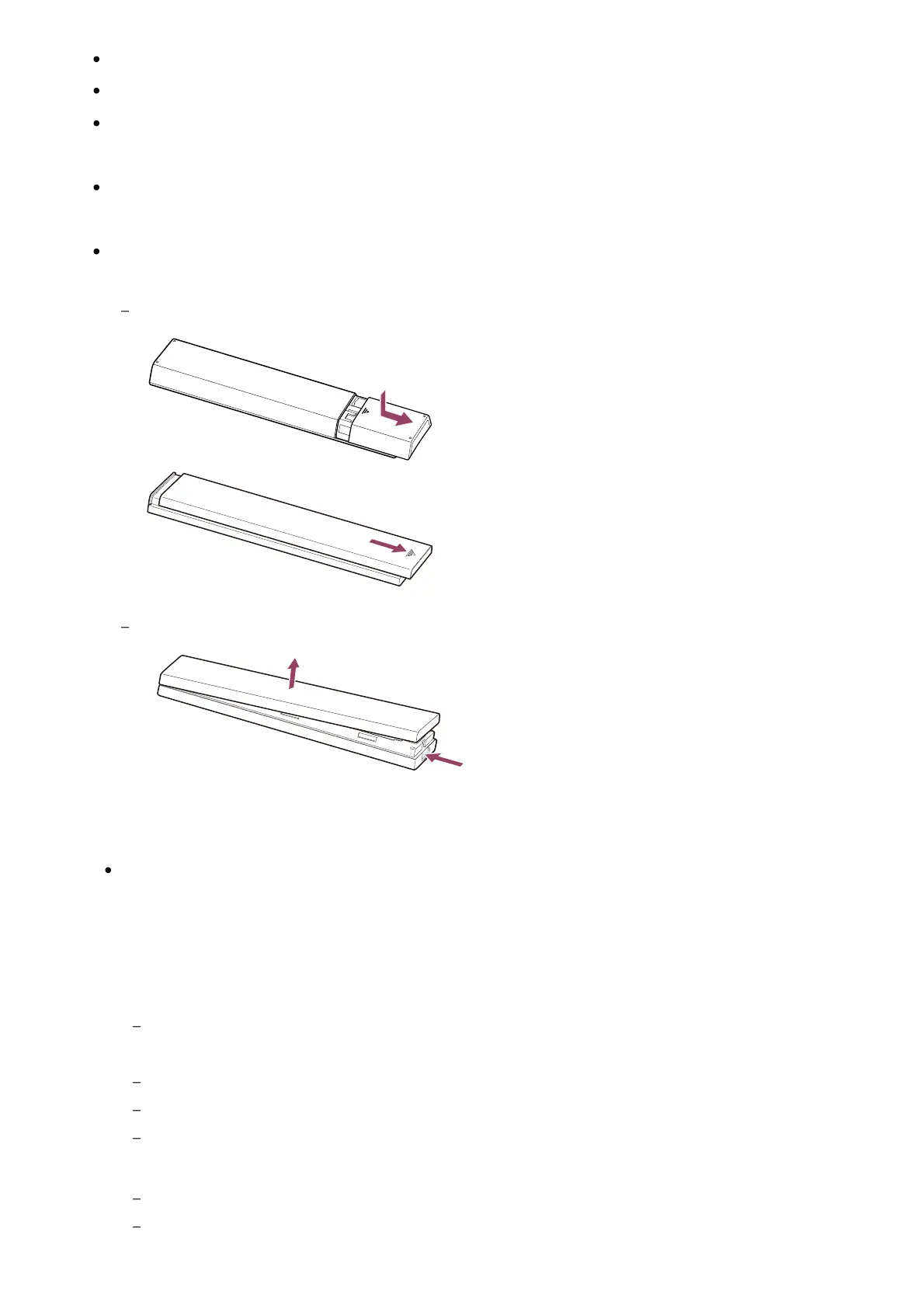
Battery power may be low. Remove the remote control cover and replace the batteries with
new ones.
Sliding type
Push-release type
Note
Remote controls with a Google Assistant/MIC button are connected to the TV using
Bluetooth. Radio interference may occur in the following situations and cause issues
such as poor operation of microphone or remote control because Bluetooth radio
waves use the same frequency as radio waves emitted from microwaves and wireless
LANs.
There are people or obstacles (such as metal objects or walls) between the TV and remote
control.
A microwave is being used nearby
There is a wireless LAN access point nearby
The TV and remote control are unpaired
In these cases, try the following solutions.
Use the remote control closer to the TV
Remove obstacles between the TV and remote control













 To Next Page