Zooming in in one step
You call zoom ill to the center of all image using the smart teleconverter
(Digital zoom) and record the image.
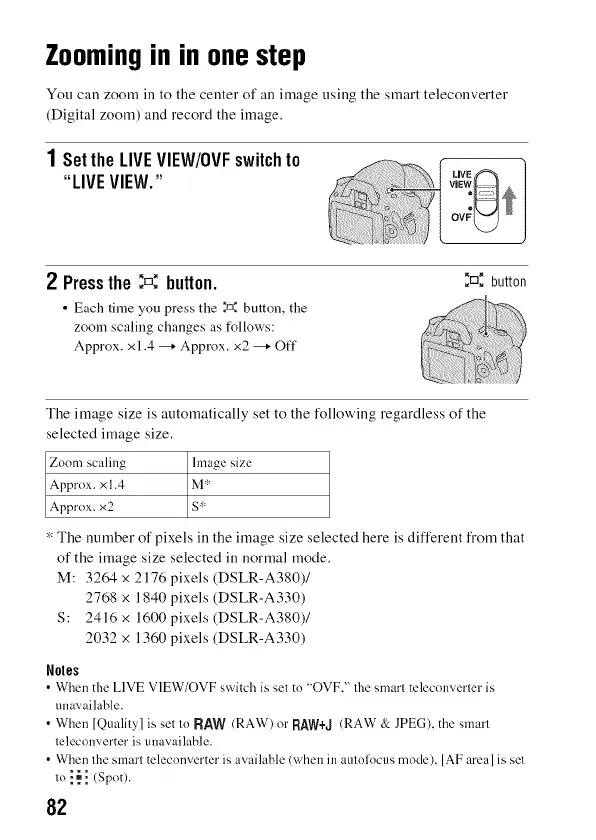
1SettheLIVEVIEW/0VFswitchto
"LIVEVIEW."
2 Pressthe:D,= button.
• Each time you press the _." button, the
zoom scaling changes as follows:
Approx. x1.4 -* Approx. x2 -* Off
_rn_button
The image size is automatically set to the following regardless of the
selected image size.
Zoom scaling hnage size
Approx. x 1.4 M':'
Approx. x2 S r"
* The number of pixels in the image size selected here is different from that
of the image size selected in normal mode.
M: 3264 x 2176 pixels (DSLR-A380)/
2768 x 1840 pixels (DSLR-A330)
S: 2416 x 1600 pixels (DSLR-A380)/
2032 x 1360 pixels (DSLR-A330)
Notes
• When the LIVE VIEW/OVF switch is set to "OVF," the smart telecon,_erter is
una,_ailable.
• When [Quality] is set to RAW (RAW) or RAW+-J(RAW & JPEG), the smart
teleconverter is unavailable.
• When the smart teleconverter is available (when in autolocus mode), [AF area] is set
to ! _ ! (Spot).
82



 To Next Page