Viewingimagesona TV screen
To view images recorded on the camera on a TV set, an HDM[ cable (sold
separately) and an HD TV equipped with an HDM[ connector are required,
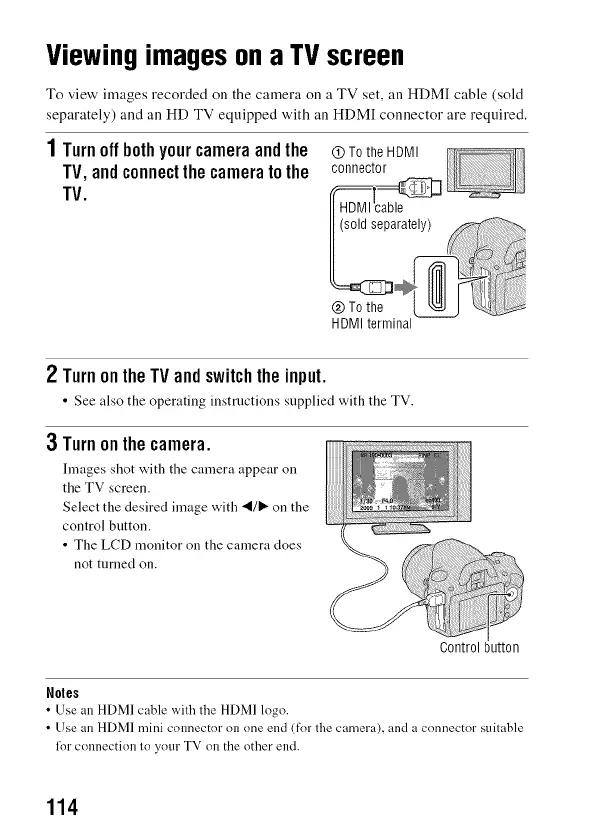
1Turnoffbothyourcameraandthe (9TotheHDMI
TV,andconnectthecameratothe connector
TV.
HDMI terminal
2 TurnontheTVandswitchtheinput.
• See also the operating instructions supplied with the TV.
3 Turnonthecamera.
Images shot with tile camera appear on
the TV screen.
Select the desired image with _1/1_ on the
control button.
• The LCD monitor on the camera does
not turned on.
Control button
Notes
• Use an HDMI cable with the HDMI logo.
• Use an HDMI mini connector on one end (for the camera), and a connector suitable
lor connection to your TV on the other end.
114



 To Next Page