Usingthe flash
[n a dark location, using the flash allows you to shoot the subject brightly,
and it also helps to prevent camera shake. When shooting into the sun, you
call use the flash to shoot a bright image of the backlit subject.
When the mode dial is set to AUTO, the flash pops up automatically if it is
dark or you are shooting into the light.
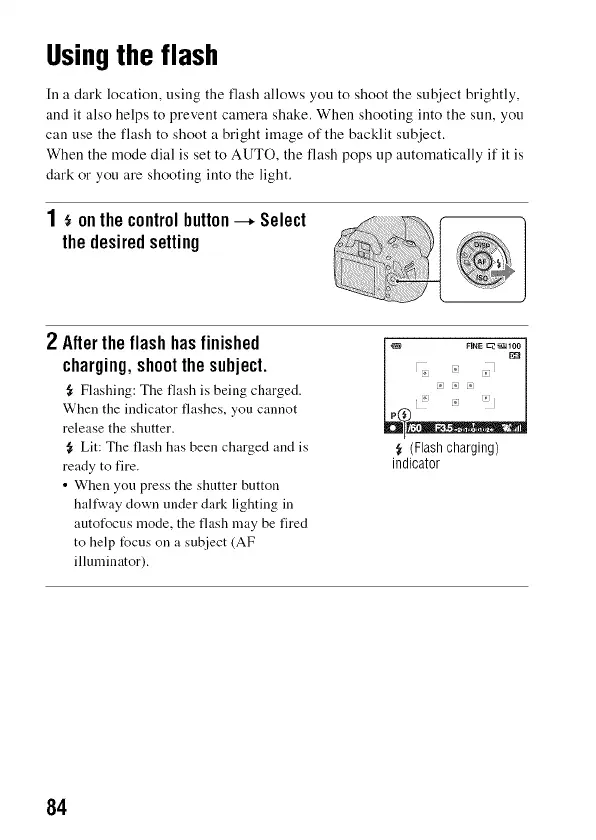
1 onthecontrolbutton--* Select
thedesiredsetting
_<!!!i!i_iiiii!iiiii{!{!i{ii;ii!; iI
i_i!{; ii_!i;_ !iiiiiiiii! _ _ ;/
2 Aftertheflashhasfinished
charging,shootthesubject.
{r Flashing: The flash is being charged.
When the indicator flashes, you cannot
release the shutter.
{_ Lit: The flash has been charged and is
ready to fire.
• When you press the shutter button
hafl'way clown under dark lighting in
autotUcus mode, the flash may be fired
to help focus on a subject (AF
illuminator).
(Flash charging)
indicator
84



 To Next Page